We’re reader-supported — some links are affiliate links. Learn more →

Skip to content

Independent software research. Some links may earn us a commission at no extra cost to you. Learn more →

ICode

Author: admin

  • How to Use Systeme.io for a Small Business: Funnels That Convert

    How to Use Systeme.io for a Small Business: Funnels That Convert

    Home / Funnel Builders / Guides / How to use Systeme.io for a small business

    Use case · funnel builders · updated October 7, 2026

    How to use Systeme.io for a small business: funnels that actually convert

    A funnel is not a website. It is a short, deliberate path from a stranger to a customer. Systeme.io gives a small business the pieces to build that path in one place — here is how to use them.

    Systeme.io homepage for building an online business
    Systeme.io official homepage (image: systeme.com)

    Independent analysis. This page may contain affiliate links. Some links here are referral links; if you sign up through one we may earn a reward at no extra cost to you, and it never changes what we recommend. We are an independent publisher and are not affiliated with, endorsed by, or an official partner of any tool mentioned. See our Affiliate Disclosure.

    TL;DR

    • A funnel is a path, not a website: one goal per step.
    • Pick the funnel type that matches how you sell.
    • A lead-magnet funnel is the safest first build for most small businesses.
    • Add an upsell only after the core path converts.
    • Follow up by email — most conversions happen after the first visit.

    On this page: What a funnel is for · Choose the funnel type · Build a lead-magnet funnel · Add an upsell later · Follow up · Measure · Where this fits

    What a funnel is actually for

    A small business website tries to answer everything at once. A funnel does the opposite: it removes choices so the visitor takes one next step. That focus is why a simple funnel often outperforms a busier site for a single offer.

    The trade is narrower: a funnel works when you know the one action you want. If you cannot name it, the funnel will feel unfocused.
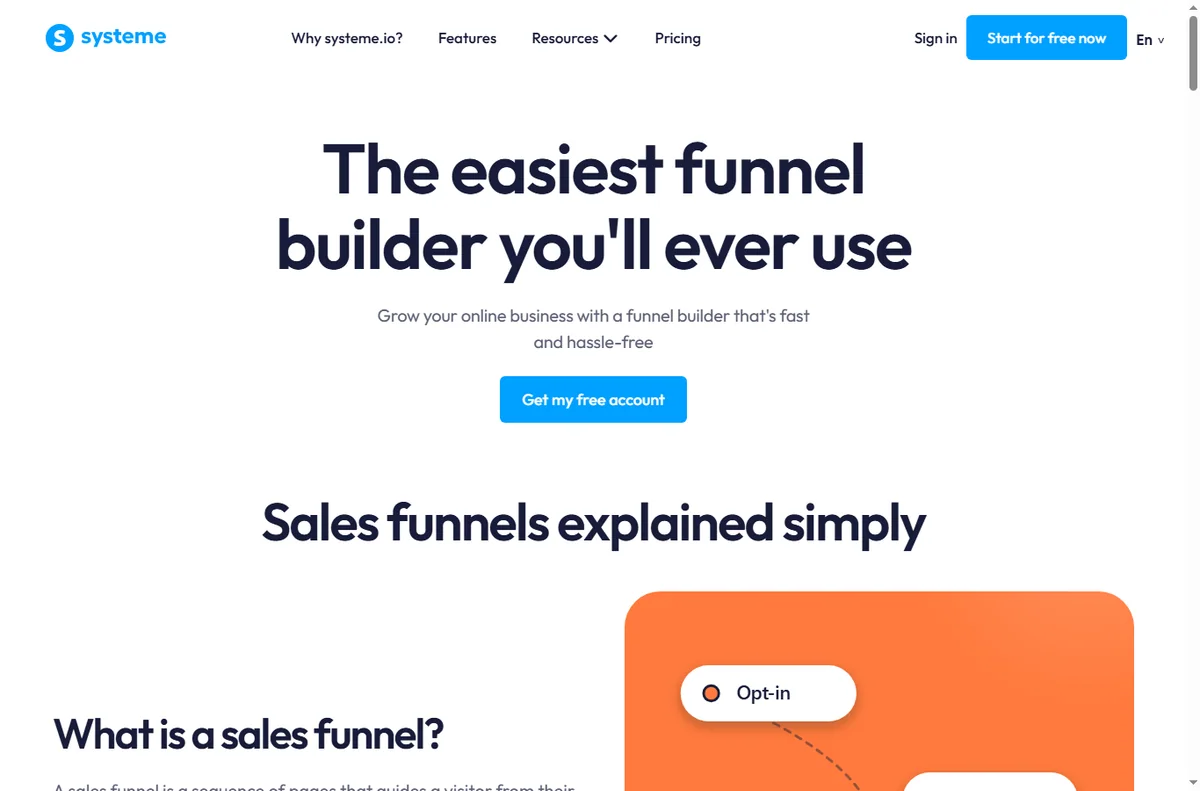
    Systeme.io sales funnel builder page
    Systeme.io sales funnels (image: systeme.com)

    Choose the funnel type that matches how you sell

    For most small businesses the safest first build is the lead-magnet funnel: give something genuinely useful in exchange for an email, then sell to that list over time.

    Your situationFunnel typeWhy
    You sell a serviceLead-magnet funnelCollect enquiries, sell on a call
    You sell a digital productOpt-in + sales pageSell directly to a warm list
    You teachWebinar or course funnelBuild trust before the price
    You sell repeatedlyEvergreen offer funnelConvert new traffic on autopilot
    Pick one type and finish it before starting another.
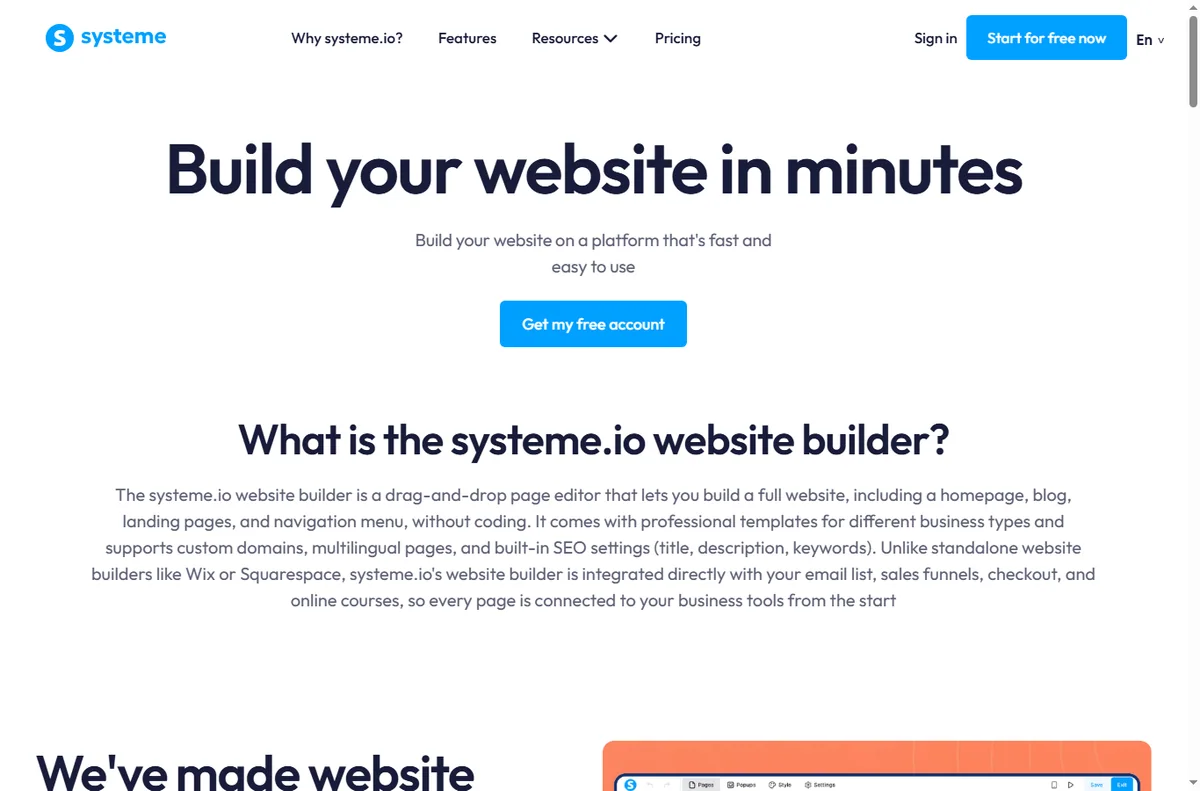
    Systeme.io website and page builder page
    Systeme.io website builder (image: systeme.com)

    Build a lead-magnet funnel

    1. Create a specific opt-in page for one lead magnet — a checklist, template or short guide.
    2. Write one headline that names the outcome, and one call to action.
    3. Connect the form to your list and set the delivery email.
    4. Add a thank-you page that sets expectations for what comes next.
    5. Follow with a short welcome sequence that leads to your paid offer.

    Add an upsell only after the core path converts

    An upsell raises average order value, but it also adds a decision point. Wait until the basic path converts consistently, then add a single relevant offer — not a menu.
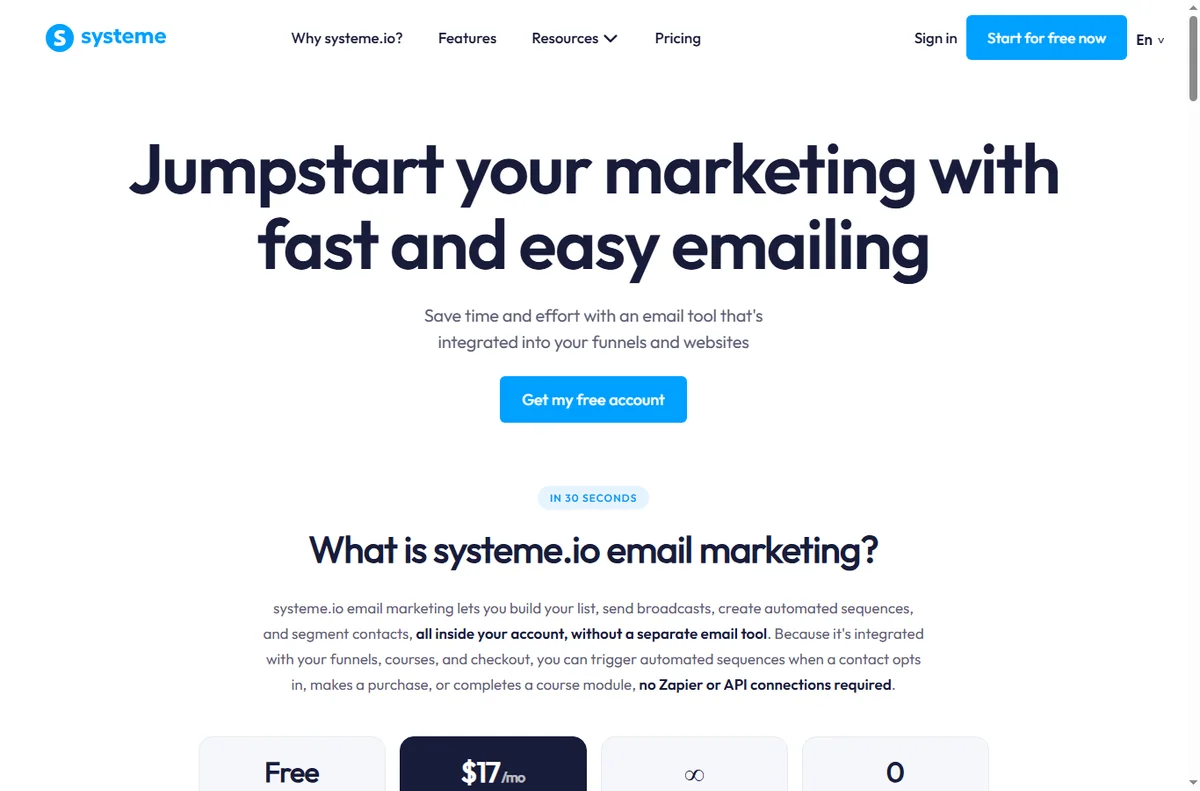
    Systeme.io email marketing features page
    Systeme.io email marketing (image: systeme.com)

    Follow up by email — this is where the money is

    Most visitors do not convert on the first visit. A short, honest sequence — deliver, teach, offer — does the selling you cannot do in person. Keep it to a handful of emails you would actually want to receive.
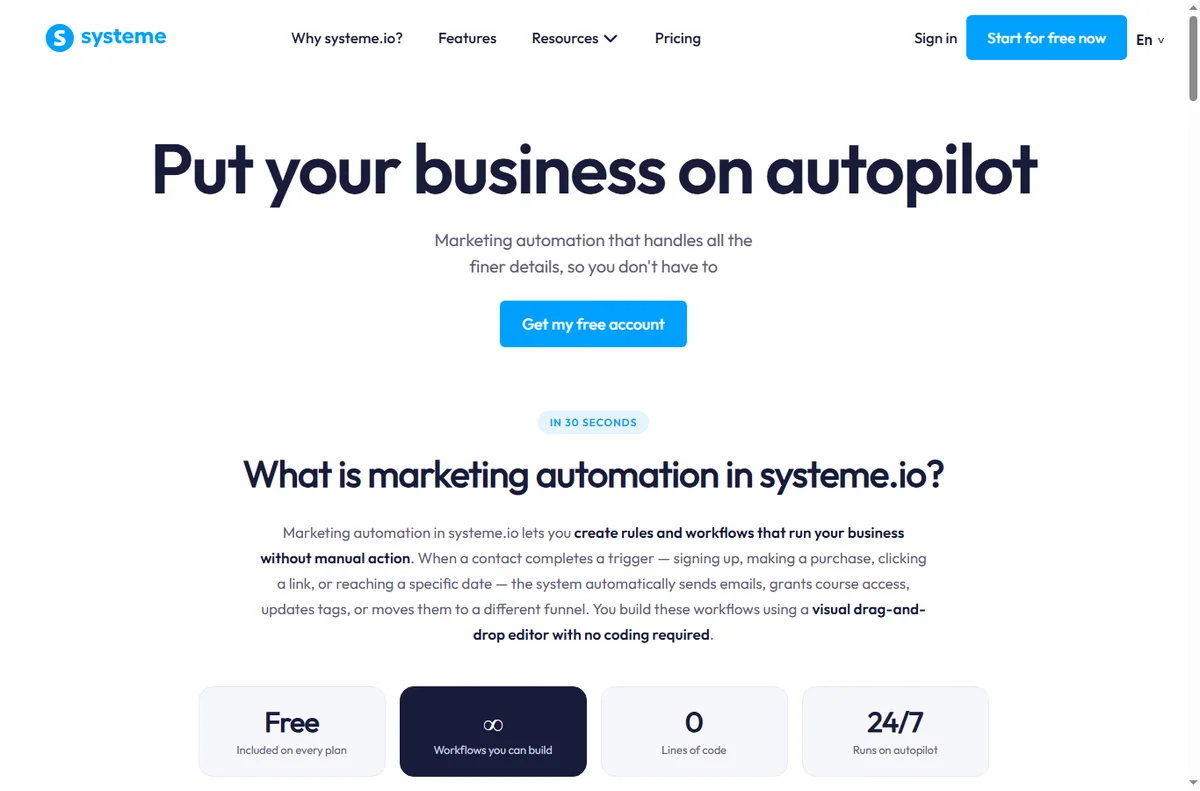
    Systeme.io marketing automation features page
    Systeme.io marketing automation (image: systeme.com)

    Measure the path, not just the traffic

    • Opt-in rate on the page.
    • Conversion rate from list to offer.
    • Revenue per subscriber over time.
    • Which email in the sequence earns the clicks.
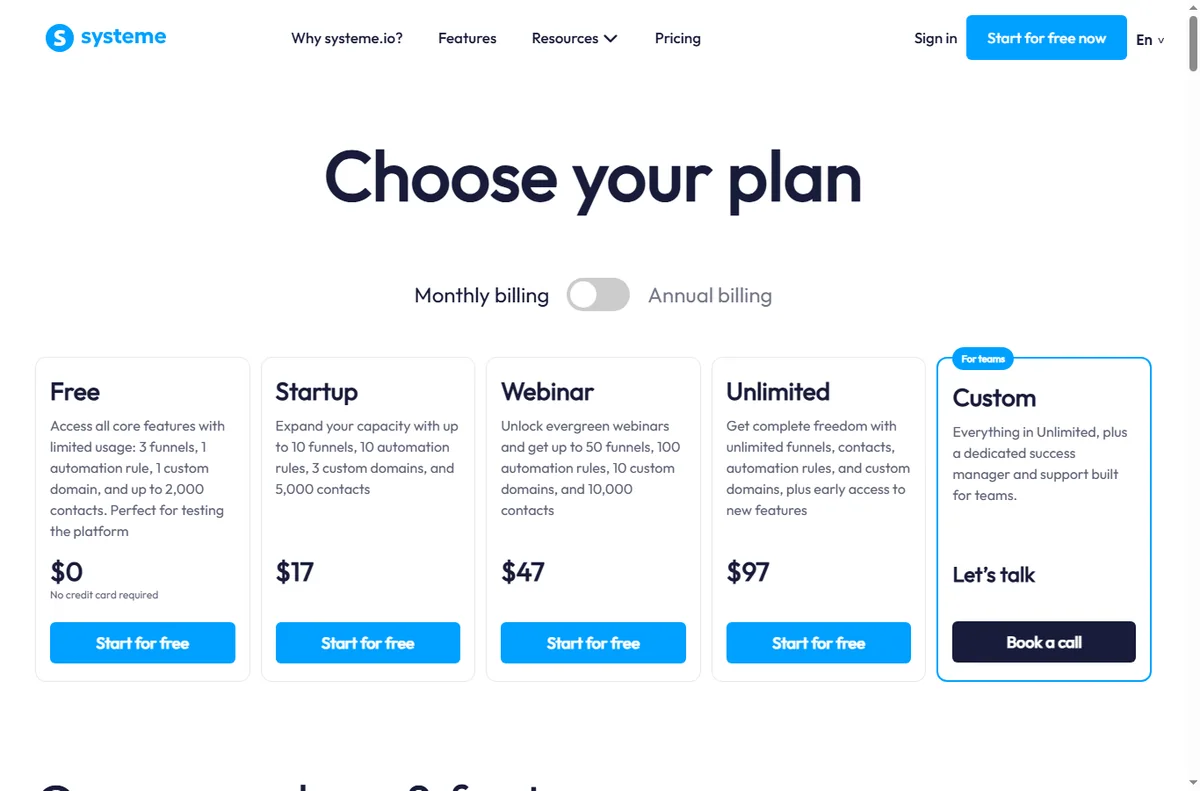
    Systeme.io pricing page with plan tiers
    Systeme.io pricing (image: systeme.com)

    Where this fits

    See the independent Systeme.io review and the Systeme.io pricing guide. For alternatives, start at the funnel builders hub and the best funnel builders shortlist. If you sell a course, see course platforms; for the email side, see email marketing.

    Frequently asked

    What should my first funnel be?

    A lead-magnet funnel: one useful free resource in exchange for an email, followed by a short welcome sequence that ends in your offer.

    How many steps should a funnel have?

    As few as possible. A simple opt-in to offer path with one thank-you page is enough for most small businesses to start.

    Do funnels replace a website?

    Not always. Many businesses keep a small site for credibility and use focused funnels for specific offers.

    When should I add an upsell?

    Only after the core path converts reliably. Adding an upsell earlier usually reduces the primary conversion without compensating revenue.

    How much traffic do I need?

    There is no fixed number. Start sending modest, relevant traffic and watch the opt-in rate; fix the page before increasing volume.

    Start with one funnel and one offer

    Finish the first path before building a second.

    Referral link — we may earn a reward if you sign up, at no extra cost to you. We are an independent publisher. See our Affiliate Disclosure.

  • How to Set Up Systeme.io: Funnel, Email and Payments Step by Step

    How to Set Up Systeme.io: Funnel, Email and Payments Step by Step

    Home / Funnel Builders / Guides / How to set up Systeme.io

    Tutorial · funnel builders · updated October 7, 2026

    How to set up Systeme.io: one account for funnels, email and payments

    Systeme.io bundles a funnel builder, email marketing and payments into one account. Setting it up is mostly about connecting those pieces in the right order so the whole funnel works, not just the pages.

    Systeme.io homepage for building an online business
    Systeme.io official homepage (image: systeme.com)

    Independent analysis. This page may contain affiliate links. Some links here are referral links; if you sign up through one we may earn a reward at no extra cost to you, and it never changes what we recommend. We are an independent publisher and are not affiliated with, endorsed by, or an official partner of any tool mentioned. See our Affiliate Disclosure.

    TL;DR

    • Systeme.io replaces several separate tools with one account.
    • Set up in this order: account, domain, funnel, email, payment.
    • Test the complete path before you send real traffic.
    • Keep the first funnel simple — one opt-in, one offer.
    • Confirm current plan limits and prices on the vendor’s own page.

    On this page: What one account gives you · Create the account · Connect a domain · Build the funnel · Set up email · Add payments · Test the whole path · Where this fits

    What one account actually gives you

    Systeme.io aims to replace a stack: landing pages, a funnel builder, email marketing, online courses, and payment collection. The value is the integration — the pieces already talk to each other.

    That also means setup is a sequence. Build the pages, connect the email list, then add payments, because each step depends on the previous one.

    • Funnel and landing pages
    • Email marketing and automation
    • Online courses and memberships
    • Payments and order forms
    Systeme.io registration screen for a new account
    Systeme.io registration (image: systeme.com)

    Step 1 — Create your account

    Sign up and confirm your email. You begin on the entry plan, which is intentionally limited. It is enough to build and test a simple funnel, but check the current contact and feature limits before you plan a campaign.

    Step 2 — Connect your domain

    Add your custom domain and point its DNS records as instructed. Doing this before you build means every page you create already lives on your own domain rather than a temporary subdomain you later have to migrate.

    Systeme.io sales funnel builder page
    Systeme.io sales funnels (image: systeme.com)

    Step 3 — Build your first funnel

    1. Choose a funnel type, then pick a template closest to your goal.
    2. Edit the opt-in page: one clear headline, one offer, one call to action.
    3. Add a thank-you page and connect it to your email list.
    4. Add one sales or order page only if you are selling immediately.
    Systeme.io email marketing features page
    Systeme.io email marketing (image: systeme.com)

    Step 4 — Set up email

    Create your list, then build a short welcome sequence: an immediate delivery email, a value email, and an offer. Connect the opt-in form to the list so new subscribers enter the sequence automatically.

    Set your sender name and reply-to before sending anything — deliverability depends on consistent, real sender details.

    Systeme.io pricing page with plan and payment options
    Systeme.io pricing (image: systeme.com)

    Step 5 — Add payments

    Connect your payment processor and create the order form or checkout for your offer. Run a live test purchase with a small amount to confirm the whole path works, then refund it.

    Step 6 — Test the complete flow

    Walk the funnel as a stranger would: opt in with a real address, confirm the sequence arrives, click through to the offer, and complete a test purchase. Only then point traffic at it.

    Systeme.io marketing automation features page
    Systeme.io marketing automation (image: systeme.com)

    Where this fits

    See the independent Systeme.io review for a full evaluation and the Systeme.io pricing guide for plan structure. If you are choosing a platform, start with the funnel builders hub and the best funnel builders shortlist. Many users also pair a funnel tool with a dedicated email marketing platform.

    Frequently asked

    Do I need a separate email tool?

    Not necessarily. Email is built in. A separate email platform only makes sense if you need deeper automation or deliverability features than the bundled version provides.

    Can I use my own domain?

    Yes, and you should connect it early so your pages and links live on your domain from day one.

    How do I take payments?

    You connect a supported payment processor and use the built-in order forms or checkout. Always run a small live test purchase before launch.

    Is it good for online courses?

    Yes — course hosting is part of the same account, which is useful if you sell a course alongside a funnel.

    How long does setup take?

    A single simple funnel can be built and tested in a few hours by a first-timer, longer if you write the copy from scratch.

    Build the funnel, then invite traffic

    Keep the first funnel to one opt-in and one offer.

    Referral link — we may earn a reward if you sign up, at no extra cost to you. We are an independent publisher. See our Affiliate Disclosure.

  • How to Use Make for a Small Business: 7 Practical Workflows

    How to Use Make for a Small Business: 7 Practical Workflows

    Home / Automation / Guides / How to use Make for a small business

    Use case · automation · updated October 7, 2026

    How to use Make for a small business: seven workflows worth automating

    Small businesses rarely need exotic automations. They need a handful of repeatable jobs to stop eating manual time. These seven Make workflows are the ones that tend to pay back fastest.

    Make homepage with workflow automation canvas
    Make official homepage (image: make.com)

    Independent analysis. This page may contain affiliate links. Some links here are referral links; if you sign up through one we may earn a reward at no extra cost to you, and it never changes what we recommend. We are an independent publisher and are not affiliated with, endorsed by, or an official partner of any tool mentioned. See our Affiliate Disclosure.

    TL;DR

    • Pick one painful, repetitive process first — not everything at once.
    • The fastest paybacks are lead capture, order handling, invoicing and reporting.
    • Keep each scenario small and single-purpose so failures are easy to spot.
    • Add error notifications before you scale volume.
    • Measure hours saved per workflow, then automate the next one.

    On this page: Pick the first process · Lead and customer workflows · Money workflows · Operations and reporting · Guardrails · Keep costs sane · Where this fits

    Start with the process that hurts most

    The mistake is starting with the most interesting workflow. Start with the most annoying one: the task you do every day by hand, where a copy-paste error costs you a customer.

    A good first workflow fires often, has an obvious trigger, and has a clear single action. If you cannot describe it as “when X, do Y”, break it down until you can.

    • It happens at least weekly.
    • It has one recognisable trigger event.
    • A mistake there costs money or goodwill.
    • You can describe the desired outcome in one sentence.
    Make template gallery of ready-made business workflows
    Make workflow template gallery (image: make.com)

    Workflows 1–3: leads and customers

    • Form to CRM and email: when someone submits a form, create the contact, tag the source, and start a welcome sequence.
    • Lead follow-up reminder: when a lead goes quiet for a set number of days, create a task for the owner and log it.
    • Support triage: when a new support message arrives, route it by keyword and post it to the right channel.

    Workflows 4–5: money

    • Order to fulfilment: when an order is placed, add the item to a fulfilment sheet and alert the team.
    • Invoice reminders: when an invoice passes its due date, send a polite reminder and escalate on a second strike.
    Make integrations connecting CRM, finance and operations apps
    Make integrations library (image: make.com)

    Workflows 6–7: operations and reporting

    • Daily digest: pull the day’s numbers from two or three sources into one message so nobody assembles it by hand.
    • Content scheduling: when an item is marked ready, schedule it and log the post so you can see what actually shipped.

    Guardrails before you scale

    • Turn on error notifications for every scenario you rely on.
    • Keep one scenario to one job; chain scenarios only when they genuinely must be sequential.
    • Prefer a fallback path over a silent failure.
    • Log the count of runs so you can see a workflow quietly stop firing.
    Make pricing page showing operations and plan limits
    Make pricing and plans (image: make.com)

    Keeping automation costs sane

    Automation platforms meter usage, so cost grows with volume, not with ambition. Model the operations or tasks each workflow will fire per month before you commit to a paid tier, and check the current caps and prices on the vendor’s own page — we do not quote figures because they change often.

    Make sign-in screen to access your scenarios
    Make sign-in page (image: make.com)

    Where this fits in your stack

    See the business automation hub for context, the independent Make review for a full evaluation, and the Make pricing guide for cost structure. For a broader shortlist, see the best workflow automation tools. Lead-handling specifics are covered in the sales pipeline automation guide.

    Make register page
    Make register (image: make.com)

    Frequently asked

    How many workflows should a small business automate?

    Start with one, add a second only when the first is stable. Three to five well-chosen workflows cover most small-business needs; beyond that the maintenance cost starts to compete with the time saved.

    Do I need technical skills?

    No for the workflows above. They are built by selecting apps, triggers and actions. Technical help only becomes useful if you need custom data transformations or API work.

    What if a workflow breaks silently?

    That is the main risk. Enable error notifications, and add a small heartbeat scenario that alerts you if a critical workflow has not run when it should have.

    Can I run this alongside other tools?

    Yes. A common pattern is one automation tool for cross-app logic plus a purpose-built tool (for example, an email platform) for its own specialised work. Keep the boundary clear to avoid duplicate actions.

    How do I know it is worth it?

    Estimate the minutes the task costs per week, multiply by your hourly value, and compare with the ongoing cost of the automation plus your setup time. If the payback is under a couple of months, it is usually worth doing.

    Start with the workflow that annoys you most

    Prototype it on the free tier before you commit.

    Referral link — we may earn a reward if you sign up, at no extra cost to you. We are an independent publisher. See our Affiliate Disclosure.
  • How to Set Up Make: First Scenario, Step by Step

    How to Set Up Make: First Scenario, Step by Step

    Home / Automation / Guides / How to set up Make

    Tutorial · automation · updated October 7, 2026

    How to set up Make: from sign-up to your first working scenario

    Make is a visual automation tool, and setting it up is really about getting one scenario to run end to end. This walkthrough takes you from a blank account to a working automation without the usual detours.

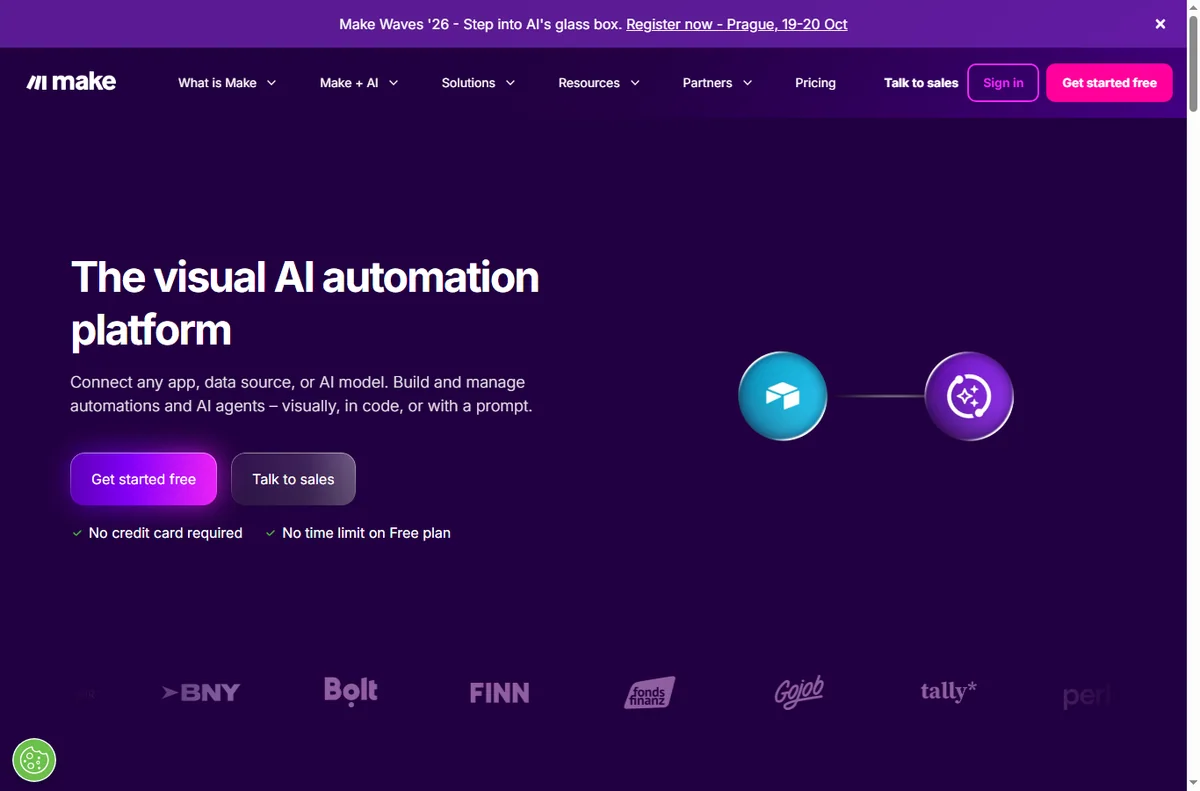
    Make homepage with workflow automation canvas
    Make official homepage (image: make.com)

    Independent analysis. This page may contain affiliate links. Some links here are referral links; if you sign up through one we may earn a reward at no extra cost to you, and it never changes what we recommend. We are an independent publisher and are not affiliated with, endorsed by, or an official partner of any tool mentioned. See our Affiliate Disclosure.

    TL;DR

    • Make is a visual automation tool: you build a “scenario” from a trigger plus one or more app modules.
    • Setup is free to start — create an account, connect one app, and run a two-step scenario.
    • You do not need code for the first scenario; you need one clear trigger and one clear action.
    • Watch your monthly operation count — that is what a paid plan meters.
    • Upgrade only when a real workflow outgrows the free cap.

    On this page: What setting up Make means · Before you start · Create your account · Three words that matter · Build a scenario · Test it · Turn it on · When to upgrade · Common mistakes · Where this fits

    Make login page
    Make login (image: make.com)

    What setting up Make actually means

    Make connects apps so that work happens without you. Unlike a simple “if this then that” tool, Make is built around scenarios: a visual canvas where a trigger starts a run and one or more modules act on the data.

    So “setting up Make” is three milestones rather than one install: create an account, learn the scenario editor, and get a single automation running correctly. Templates and advanced modules come later.

    Before you start

    • An email address you can confirm right away.
    • One app you already use that can act as a trigger — a form, a spreadsheet, a store or an inbox.
    • A one-sentence job description: “when this happens, do that”.
    • A few minutes to run the scenario by hand once.
    Make sign-up screen used to create a new account
    Make sign-up page (image: make.com)

    Step 1 — Create your account

    Sign up on the vendor’s site and confirm the email. You land in a dashboard that lists organizations, scenarios and templates — not in the editor, which surprises people who expect to start building immediately.

    Begin on the free tier. It is enough to learn on, but it meters a monthly operation cap, so treat it as a sandbox rather than production.

    Step 2 — Learn the three words that carry the meaning

    • Trigger — the event that starts a scenario (a new form entry, a new row, a new order).
    • Module — a step that does one job, such as creating a contact or sending a message.
    • Operation — one unit of work a module consumes; this is what your plan meters.
    Make template gallery for starting a scenario
    Make workflow template gallery (image: make.com)

    Step 3 — Build a two-step scenario

    1. Open Scenarios and choose “Create a new scenario” rather than a template, so you learn the parts.
    2. Click the first node, pick your trigger app and event, then create a connection (authorise the app once).
    3. Add the second node and pick the action: for example, “Create a row” in a spreadsheet or “Send a message”.
    4. Map the fields — drag the trigger’s output into the action’s input so the data flows across.

    Step 4 — Test before you trust it

    Use the run-once control to pull sample data through the scenario. Read the input and output of each module; the first failure is almost always a mis-mapped field or an authorisation that expired.

    Step 5 — Turn it on and watch the first runs

    Once a manual run succeeds, set the schedule or webhook and switch the scenario on. Watch the first few executions rather than assuming they are fine — especially the first time real traffic hits it.

    Make pricing page with plan tiers and operation limits
    Make pricing and plans (image: make.com)

    Step 6 — Know when to upgrade

    Upgrade when a genuine workflow outgrows the free operation cap, not before. Estimate your monthly operations from real volume, then pick the smallest paid tier that covers it comfortably. We deliberately do not quote prices — vendors change tiers and caps often, so confirm current figures on the vendor’s own pricing page.

    Common setup mistakes

    MistakeWhy it hurtsFix
    Starting from a complex templateYou inherit logic you do not understandBuild one simple scenario first
    Ignoring the operation countThe free cap is hit mid-monthModel monthly volume early
    No error handlingA silent failure breaks the flowAdd an error handler or fallback path
    Testing with live data onlyFailures are hard to reproduceUse sample data, then a live run
    Turning on before a manual runThe first real execution failsAlways run once by hand
    Based on publicly documented behaviour, checked October 7, 2026.
    Make integrations library connecting thousands of apps
    Make integrations library (image: make.com)

    Where this fits in your wider stack

    If you are still choosing a platform, start with the business automation hub and the independent Make review. For cost, see the Make pricing guide, and if you are weighing platforms, the Make vs n8n comparison. Teams that need the broadest connector catalogue often compare against the best workflow automation tools.

    Frequently asked

    How long does it take to set up Make?

    The account and first simple scenario take roughly 20–40 minutes for a first-timer. Multi-step scenarios with branching take longer because they add concepts, not because the setup itself is long.

    Do I need to know how to code?

    No. The first scenarios are built by clicking modules and mapping fields. Code only enters if you use a code module for a transformation the built-in functions cannot do.

    Is the free plan enough to start?

    It is enough to learn and to run low-volume workflows. It meters a monthly operation cap, so busy automations reach it quickly. Check the current cap on the vendor’s pricing page.

    What is an operation, exactly?

    An operation is one unit of work a module performs during a run. A scenario with three modules that runs once typically consumes three operations. That is why volume matters more than the number of scenarios.

    Should I use a template or build from scratch?

    Build your first scenario from scratch so you understand triggers and modules, then use templates once you can read what they do. Templates are shortcuts, not a substitute for understanding.

    Build one scenario, then judge the tool

    Count your steps first, then prototype on the free tier.

    Referral link — we may earn a reward if you sign up, at no extra cost to you. We are an independent publisher. See our Affiliate Disclosure.