
Home / Reviews / Make
Make review · updated October 2026
Automate the busywork between your apps — without writing a line of code
Quick answer. In short: Make is a strong pick for visual, no-code workflow automation. It stands out for multi-step scenario building, and its plans scale predictably as you grow. It is a weaker fit for simple two-app zaps, where Zapier usually wins. Read the full review for pricing and alternatives.
Make (formerly Integromat) is a visual, no-code automation platform. You drag modules onto a canvas, connect your apps, and let scenarios run on a schedule — here is how it works, what it really costs, and who should pick it over Zapier or n8n.
Free tier available · no credit card needed to explore · upgrade only when you need more operations
2,000+ app integrations
Visual no-code canvas
Operations-based pricing

Affiliate disclosure: this page contains a referral/affiliate link. If you sign up through it we may earn a reward at no extra cost to you — it never changes what we write or how we rank the options. See our Affiliate Disclosure. We are an independent review site and are not affiliated with, endorsed by, or an official partner of Make.
Quick verdict
Make is one of the strongest no-code automation tools for multi-step, conditional workflows you can actually see. The canvas-style builder makes branching, error handling and scheduling readable instead of buried in a form. It is not the simplest tool on the market, and the operations-based model takes getting used to — if you only need one trigger and one action, a lighter tool will serve you better.
Best for: small businesses and operators who want to connect many apps into a few reliable flows — lead routing, order processing, reporting — without hiring a developer.
How we judged it
- Builder — how fast can you build and read a complex flow?
- Integrations — do the apps you actually use connect?
- Cost model — how does usage turn into a bill?
- Reliability — scheduling, retries, error handling
- Who it suits — and who should choose a rival
This is our editorial assessment based on published product information and hands-on comparison, not a paid placement or a user survey.

What Make actually is
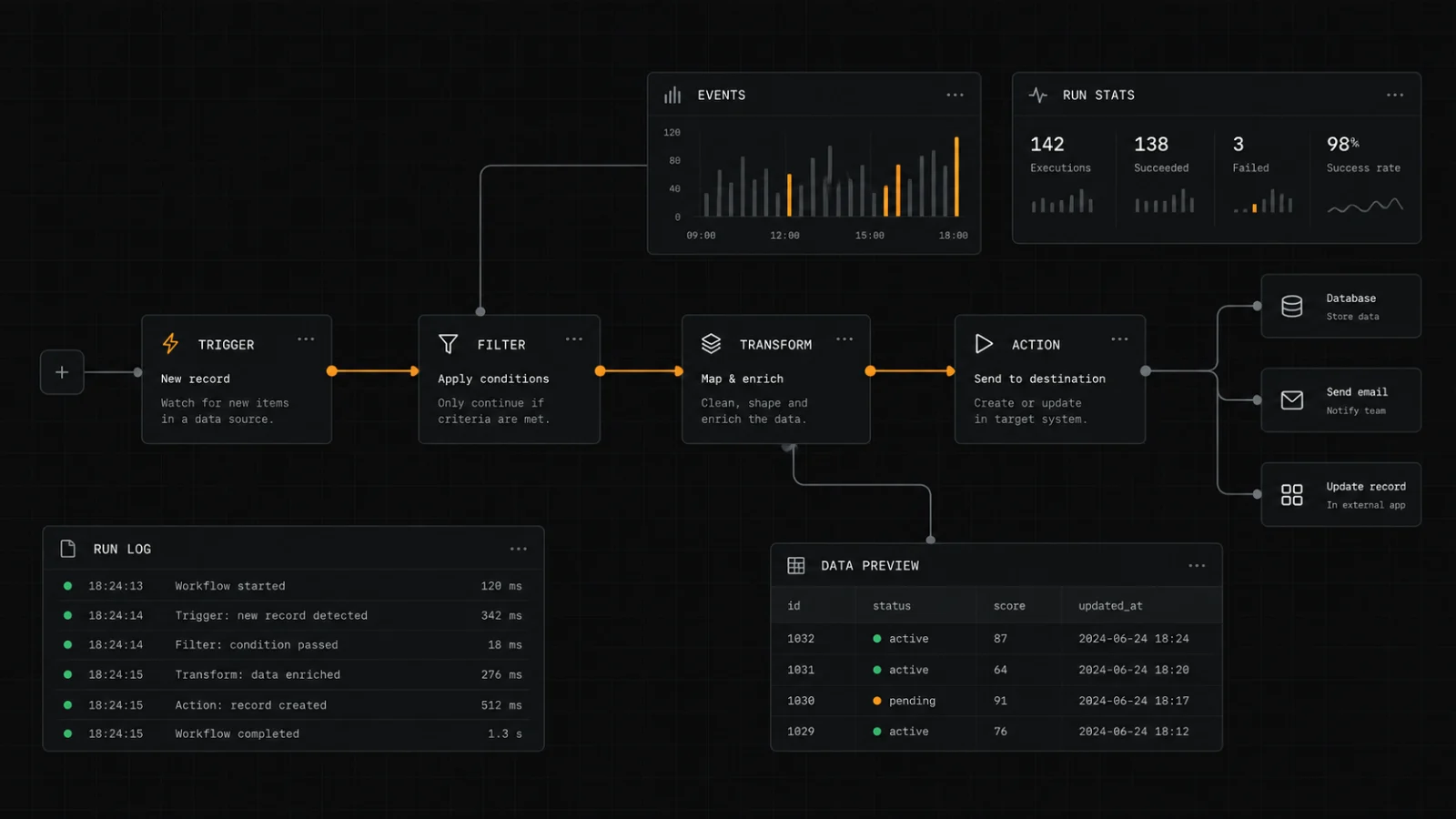
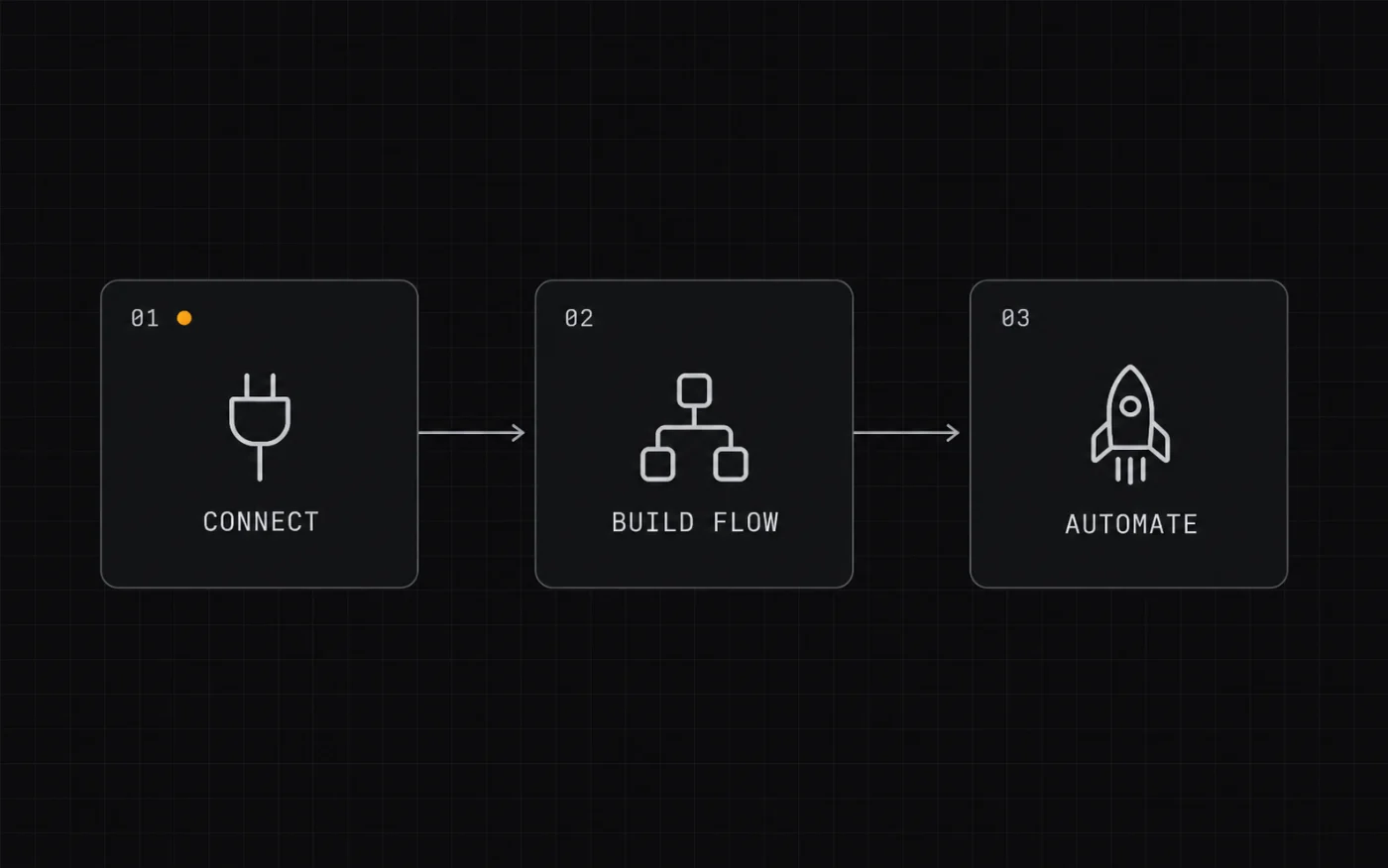
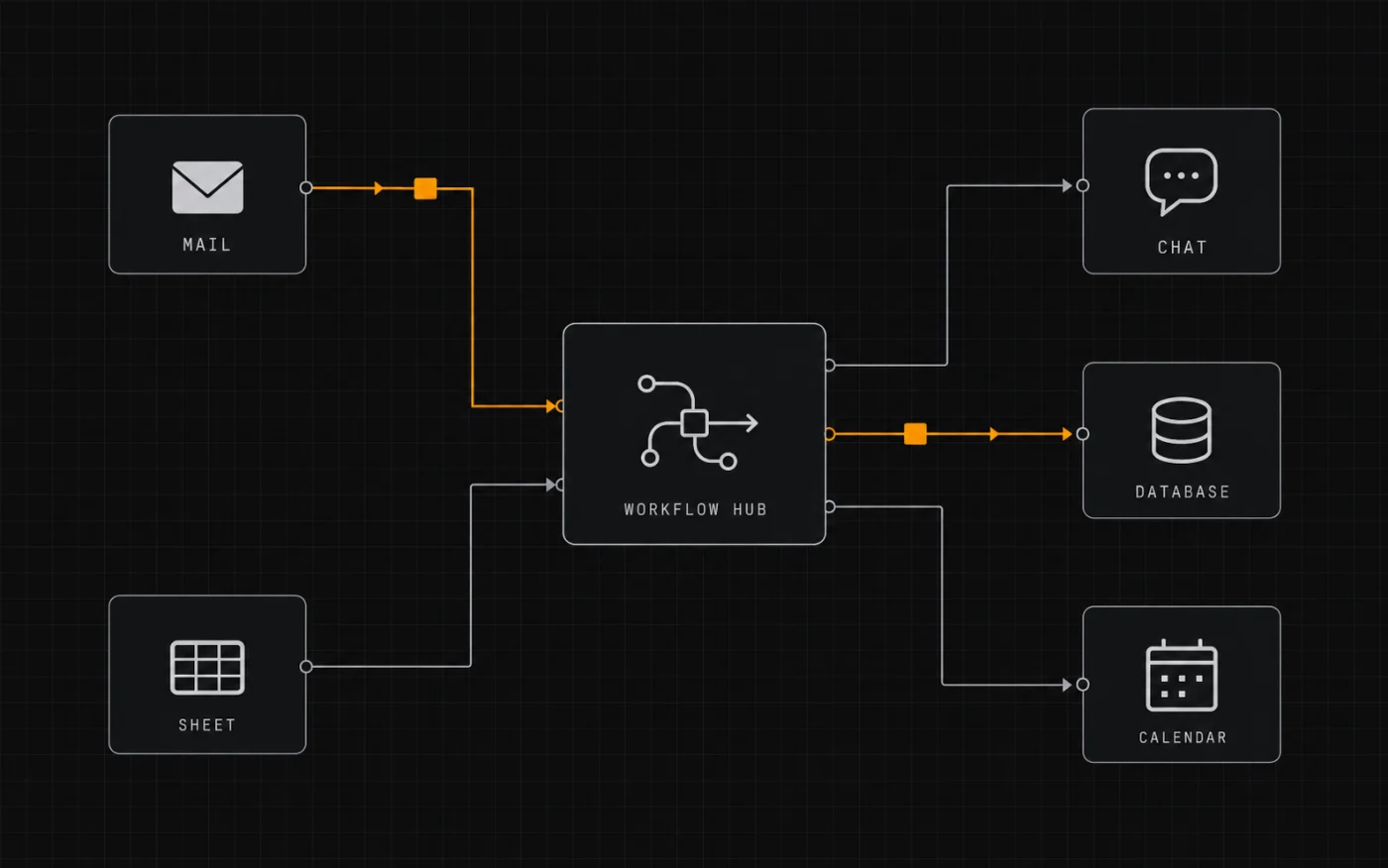
Make is a cloud automation platform that connects the apps you already use. It launched as Integromat and rebranded to Make in 2022. Instead of writing scripts, you build a scenario: a chain of modules on a drag-and-drop canvas. A trigger starts the scenario, each module passes data to the next, and a router can split the flow down different paths based on conditions.
Scenarios run on a schedule or in real time, and every step is billed as an operation. Make ships with a large template library and connections to thousands of apps, so most common jobs — syncing a form to a CRM, posting an order to a spreadsheet, sending a Slack alert — can be assembled visually in an afternoon.
2022
rebranded from Integromat to Make
2,000+
app integrations (per Make)
No-code
visual canvas, drag-and-drop builder
Cloud
hosted only — no self-hosting
Key features that matter
Visual scenario canvas
Build multi-step flows by dragging modules and drawing connections. You can read the whole process at a glance — no hidden steps.
2,000+ app integrations
Connect the tools your business already runs on — forms, spreadsheets, CRMs, ecommerce, email and more — through ready-made modules.
Router & error handling
Branch a single scenario into conditional paths and define what happens when a step fails, so one bad record does not break the whole flow.
Scheduling & triggers
Run scenarios on a schedule or the moment something happens — a new form entry, order or email can kick the whole flow off automatically.
Templates & data mapping
Start from a prebuilt template, then map fields between apps visually. It shortens the blank-canvas problem for your first build.
Usage-based plans
Pricing scales with the operations your scenarios consume, so light workflows stay cheap while heavy automation moves you up a tier.
Opens Make with our referral link — you can explore the free tier before deciding anything.
Make vs Zapier vs n8n
How the three most common picks compare on the things that decide your day-to-day and your bill.
| What matters | Make | Zapier | n8n |
|---|---|---|---|
| Builder style | Visual canvas with modules, routers and branches | Simple line-by-line trigger → action editor | Node-based canvas, built for technical users |
| App library | 2,000+ integrations | Very large catalog — the widest of the three | Hundreds of nodes, plus custom code steps |
| Pricing model | Operations-based tiers | Task-based tiers | Free if self-hosted; paid cloud tiers |
| Self-hosting | No — cloud only | No — cloud only | Yes — run it on your own server |
| Learning curve | Moderate — powerful but takes a session to learn | Easiest to start | Steepest — assumes some technical comfort |
| Best for | Complex multi-step flows you want to see and control | Fast, simple zaps and the broadest app coverage | Developers who want code-level control and data ownership |

How Make pricing works
Make does not charge per app or per scenario. It charges by operations — roughly, each module step a scenario runs counts as one. A simple two-step flow on a schedule uses very few; a busy flow with loops and branches across many apps runs up fast. Plans are monthly tiers that set how many operations you get, with higher tiers adding features and execution priority.
| Cost item | How it works |
|---|---|
| Free tier | Available, with a limited monthly operations allowance and core features — enough to test real scenarios |
| Paid model | Monthly tiers priced by how many operations/month you need |
| What uses operations | Each module step in a scenario; loops and branching multiply the count |
| Higher tiers add | More operations, more scheduling frequency, priority execution and advanced features |
| Self-hosting | Not offered — Make is cloud only |
Rule of thumb: if your workflows are small and occasional, the free tier or an entry plan is usually plenty. If you are pushing high volumes through many steps, price the operations you expect before upgrading, and compare a task-based rival so you know where the cost lands.
Opens Make with our referral link — no obligation to upgrade.

Pros and cons
What we like
- The visual canvas makes complex, multi-step flows genuinely readable
- Router and error handling are built in, not bolted on
- Wide app library covers most small-business stacks
- Operations pricing can be cheaper than task pricing at high volume
- Free tier lets you test a real workflow first
- Large template library shortens the first build
What to watch
Who should — and should not — use Make
Good fit if you…
- want to connect several apps without writing code
- run multi-step workflows with conditions and branches
- prefer building visually over scripting
- need scheduling and reliable error handling
- can work cloud-only and are fine learning a canvas tool
Look elsewhere if you…
Alternatives to consider
Zapier
Choose it when the widest app coverage and the simplest possible setup matter more than seeing the whole flow on a canvas.
n8n
Choose it when you need self-hosting, custom code steps and full control over where your data lives — at the cost of a steeper setup.
Flat-rate tools
Some rivals (for example Pabbly Connect) charge a flat fee instead of per operation — worth a look if predictable billing beats canvas power for you.
Comparing tools for a small team? Start with our software guides, browse more automation tools, or check the workflow behind this site in our SEO tools roundup.
Frequently asked
Is Make free to use?
Make has a free tier with a limited monthly operations allowance and core features, which is enough to build and test a real scenario. Paid tiers add more operations and advanced features. The exact free limits change, so check Make’s current pricing page before you rely on a specific number.
What is an “operation” and why does it affect my bill?
Roughly, each module step a scenario runs counts as one operation. A simple two-step flow uses very few; a flow with loops and multiple branches across several apps uses many more. Plans are priced by how many operations per month you need, so estimating your step count is the fastest way to predict cost.
Make vs Zapier — which should I pick?
Pick Zapier if you want the simplest setup and the widest app catalog, and your flows are short. Pick Make if your workflows are multi-step and conditional and you want to see the whole process on a canvas, or if operations-based pricing suits your volume. Both have free tiers — test your real workflow in each before committing.
Do I need to know how to code?
No. Make is designed for non-developers: you drag modules, map fields and connect apps visually. That said, it is more capable — and therefore a little more to learn — than the simplest automation tools. Expect to spend an afternoon on your first multi-step scenario.
Who should probably not use Make?
If you must self-host or keep data on your own servers, n8n fits better. If you only need one trigger and one action, a lighter tool will be quicker. And if you run very high volumes on a tight budget, price the operations carefully and compare a flat-rate rival first.
Build your first scenario this afternoon
Start on the free tier, connect two apps, and watch the busywork run itself. Upgrade only when your workflows earn it.
Referral link — we may earn a reward if you sign up, at no extra cost to you. Free-tier limits, features and prices change; always check Make’s current terms. We are not affiliated with Make.
People also ask
Is Make worth it?
In short: Make is a strong pick for visual, no-code workflow automation. It stands out for multi-step scenario building, and its plans scale predictably as you grow. It is a weaker fit for simple two-app zaps, where Zapier usually wins. Read the full review for pricing and alternatives.
Is Make worth it?
Make is worth it for visual, no-code workflow automation. It is strongest at multi-step scenario building, and its plans scale with usage. If your priority is simple two-app zaps, compare it with Zapier before deciding.
Is Make good for beginners?
Make is friendly enough for most beginners in its category, especially for visual, no-code workflow automation. Expect a short learning curve; our setup guide and full review walk through the first steps and the settings that matter most.
How does Make compare to Zapier?
Make tends to win on multi-step scenario building, while Zapier is the better pick for simple two-app zaps. The right choice depends on your list size, budget and how much automation you need day to day.