We’re reader-supported — some links are affiliate links. Learn more →

Skip to content

Independent software research. Some links may earn us a commission at no extra cost to you. Learn more →

ICode

Author: admin

  • AI agents that reverse-engineer software: what the GitHub buzz means for builders (2026)

    AI agents that reverse-engineer software: what the GitHub buzz means for builders (2026)

    Home / Automation / Trends / AI agents that reverse-engineer software

    AI tools · explainer · updated 2026

    AI agents that reverse-engineer software: what the GitHub buzz means for builders (2026)

    A wave of attention has hit GitHub around an open-source AI agent that aims to reverse-engineer software automatically. For developers, indie hackers and no-code operators the useful question is not whether the demo is impressive, but what this class of tool realistically does, where it fits a real project, and what the legal and security limits are. This explainer keeps to general, verifiable points and points you to the project’s own repository and official sources for specifics.

    Independent analysis. This page may contain affiliate links. Some links here are referral links; if you sign up through one we may earn a reward at no extra cost to you, and it never changes what we recommend. See our Affiliate Disclosure.

    AI agents that reverse-engineer software: what the GitHub buzz means for builders (2026)
    AI agents that reverse-engineer software: what the GitHub buzz means for builders (2026)

    What the trend actually claims

    Search interest spiked after reports that an open-source AI agent for reverse-engineering software reached the top of GitHub’s trending list. That kind of milestone says more about developer curiosity and the current agentic-coding hype cycle than it does about proven, production-ready capability.

    This explainer deliberately avoids repeating numbers, names or benchmarks we cannot verify here. For the specific project, its current features and its licence, go straight to its official repository and documentation.

    How this class of tool works

    Reverse engineering in this context means working backwards from a finished piece of software towards an understanding of how it behaves. Classic tools disassemble binaries, capture network traffic, decompile code or observe user interfaces. An AI agent adds a reasoning layer on top: it decides which of those tools to run, interprets the output and iterates.

    • Binary analysis: inspecting compiled programs to understand structure and behaviour.
    • API probing: observing and testing network endpoints and their responses.
    • Interface crawling: driving a UI to map screens, flows and inputs.
    • An LLM loop that plans steps, reads tool output and adjusts – with a human checking results.
    Where an AI reverse-engineering agent fits in a developer workflow
    Where an AI reverse-engineering agent fits in a developer workflow

    Where it can genuinely help

    For small teams the value is usually in mundane, high-friction work rather than dramatic feats.

    • Interoperability: understanding an undocumented API or file format you must work with.
    • Legacy migration: mapping how an old system behaves before you replace it.
    • Security research: examining software you are authorised to test.
    • Learning: getting a faster, guided read on unfamiliar code or protocols.
    A safe-use checklist before pointing an agent at any software
    A safe-use checklist before pointing an agent at any software

    What it does not do – legally or technically

    Automation does not change the rules. Terms of service, software licences, copyright and anti-circumvention laws still apply, and they vary by country and by contract. An agent that produces confident output can also be confidently wrong, so results need verification.

    • It does not make it lawful to break a licence, bypass protections or breach a provider’s terms.
    • It is not a reliable way to copy or ‘clone’ someone else’s product.
    • It cannot guarantee correctness; outputs must be checked by someone who understands the system.
    • It is not a substitute for security expertise on systems you are not authorised to test.

    Risks and a safe-use checklist

    The same capability that helps legitimate research can be misused. Keep the blast radius small and the paper trail clear.

    • Only work on software you own or are explicitly authorised to test.
    • Read the project’s licence and the target software’s terms before you start.
    • Work in an isolated environment and never point an agent at systems you do not control.
    • Keep humans in the loop for anything security- or compliance-sensitive.
    • Document what you did and why, in case you need to justify it later.

    How it fits the wider AI-agent wave

    This is one more example of agents being pointed at a job that used to need a specialist and a lot of patience. The pattern is consistent: an LLM plans, external tools execute, and a human verifies. That pattern is useful, but it is an assistant for skilled people – not a replacement for judgement.

    Practical takeaways: what to try this week

    If the trend has you curious, start small and stay within the lines.

    • Read the project’s own repository README, licence and issue tracker before anything else.
    • Try it on a piece of software you wrote, or an open-source project you are allowed to inspect.
    • Pick one narrow question – one endpoint, one file format – and see whether it helps.
    • Write down what it got right and wrong; that tells you more than the hype.

    Frequently asked questions

    Is this AI agent free to use?

    Licensing varies by project and can change. Check the repository’s own licence and terms before you use it commercially.

    Can I use it to reverse-engineer any app I want?

    No. You still need to own the software or have explicit authorisation, and you must respect licences, terms of service and local law.

    Will an AI agent replace reverse-engineering specialists?

    No. It speeds up parts of the work. A human still owns accuracy, judgement and legal responsibility.

    Where can I learn the real capabilities?

    Go to the project’s official repository and documentation – those are the authoritative sources, not social posts.

  • Asos cyber hack: what it means and what to do next (2026)

    Asos cyber hack: what it means and what to do next (2026)

    Home / Automation / Trends / Asos cyber hack

    Cybersecurity · explainer · updated 2026

    Asos cyber hack: what it means and what to do next (2026)

    Asos, the UK online fashion retailer, has said a cyber hack accessed customers’ personal data. If you shop with Asos – or you run an online store of your own – here is a calm, practical look at what is publicly confirmed, who is affected, and the steps worth taking now. We stick to verified information and point you to official sources for the specifics.

    Independent analysis. This page may contain affiliate links. Some links here are referral links; if you sign up through one we may earn a reward at no extra cost to you, and it never changes what we recommend. See our Affiliate Disclosure.

    Asos cyber hack: what it means and what to do next (2026)
    Asos cyber hack: what it means and what to do next (2026)

    What happened, as publicly confirmed

    Asos has stated that a cyber hack accessed customers’ personal data, a development reported by Reuters and other outlets. The company has confirmed the incident. The exact types of data involved and the precise number of accounts affected are best confirmed through Asos’s own official communications, because early reports often change as an investigation continues.

    We deliberately avoid repeating unverified specifics here. News-jacking a security story is only useful if it stays factual: a forwarded screenshot is not a source, and a retailer’s own notice is.

    Who is affected

    The people most directly affected are Asos customers whose data was accessed. In retail breaches of this kind, the data at risk is often account and profile information, and sometimes more; the reliable way to know what applies to you is to read Asos’s official notice rather than speculation.

    Small e-commerce teams should pay attention too. The same incident-response playbook that a large retailer follows applies to any online store, and knowing it before you need it is what keeps a bad day from becoming a crisis.

    • Asos customers: check the retailer’s official notice and any direct message it sends you.
    • Anyone reusing an Asos password elsewhere: treat that password as compromised everywhere.
    • Online store operators: review whether you would detect and respond to a similar event.
    How to confirm what the Asos incident means for you
    How to confirm what the Asos incident means for you

    If you have an Asos account: a 6-step checklist

    Work through these in order. None of them require you to pay for anything, and together they close most of the practical risk.

    • Change your Asos password to a new, unique one you have not used anywhere else.
    • Turn on two-factor authentication (2FA) if Asos offers it for your account.
    • Check any saved payment methods and your bank or card statements for unfamiliar activity.
    • Be suspicious of emails, texts or calls about the incident that ask you to click, log in, or pay – go to Asos directly instead.
    • Watch for fake ‘Asos refund’ or ‘account suspended’ scams that spike after breaches.
    • If you reused that password anywhere else, change it there too, starting with email and banking.
    A six-step checklist for affected accounts
    A six-step checklist for affected accounts

    If you run an online store: an 8-point breach-response playbook

    For operators, the goal is to contain, communicate and learn – in that order. Adapt these to your size and your legal obligations.

    • Detect and contain: identify what was accessed and isolate affected systems.
    • Rotate secrets: change admin passwords, API keys and integration tokens.
    • Force password resets for affected user accounts.
    • Notify users and any regulators your jurisdiction requires, honestly and promptly.
    • Review third-party and vendor access, including plugins and integrations.
    • Preserve logs and evidence for the post-mortem and any reporting.
    • Communicate clearly: say what happened, what you know, and what users should do.
    • Run a post-mortem and harden the specific gaps you find.

    How to reduce risk going forward

    Most of the durable protection is unglamorous and cheap. Use a password manager so every account has a unique password, turn on multi-factor authentication wherever it is offered, give people the least access they need, keep an eye on alerts, and make sure you have working backups you have actually tested.

    • Password manager for every person and shared account.
    • MFA on email, admin panels and finance tools first.
    • Least-privilege access and a short review of who can do what.
    • Monitoring and alerting so you notice problems early.
    • Tested backups and a written recovery plan.

    Practical takeaways

    If you are an Asos customer, act on the account basics today – new password, 2FA, and vigilance for phishing – and use Asos’s official notice for the exact scope. If you run an online store, treat this as a free rehearsal: write down what you would do in the first hour of a breach, then close the gaps you find. Specifics about the Asos incident should always be confirmed with Asos and reputable reporting, not with forwarded screenshots.

    Frequently asked questions

    Was my Asos account compromised?

    Asos has said a hack accessed customers’ personal data. Whether your specific account was involved can only be confirmed by Asos – check its official notice and any direct communication it sends you, and be wary of lookalike emails that imitate the retailer.

    Does Asos store my card details?

    Payment handling differs by retailer and can change over time. Check Asos’s current help pages and privacy notice for how it handles payment data rather than relying on a forwarded claim.

    How do I know if I was in a breach?

    Use official channels: the retailer’s own notice and reputable breach-notification services. If you are unsure, change the password on that account and anywhere you reused it.

    I run a small store – what should I do first?

    Contain the issue, rotate credentials and API keys, and follow your notification obligations. A written incident-response checklist you have rehearsed beats improvising under pressure.

  • Why Meta’s business is booming while Mark Zuckerberg’s image takes hits (2026)

    Why Meta’s business is booming while Mark Zuckerberg’s image takes hits (2026)

    Home / Automation / Trends / Why Meta’s business is booming while Mark Zuckerberg’s image takes hits (2026)

    Big tech – explainer – updated 2026

    Why Meta’s business is booming while Mark Zuckerberg’s image takes hits (2026)

    The trend captures a paradox: Mark Zuckerberg’s public image keeps taking hits, yet Meta’s business keeps booming. Both can be true at once because Meta’s money comes from an advertising engine that runs on scale and AI, largely independently of what people think of its founder. This explainer covers how that engine works, what Meta AI and new safety features signal, and what it all means for marketers and small businesses building on Meta’s platforms.

    Independent analysis. This page may contain affiliate links. Some links here are referral links; if you sign up through one we may earn a reward at no extra cost to you, and it never changes what we recommend. See our Affiliate Disclosure.

    Why Meta's business is booming while Mark Zuckerberg's image takes hits (2026)
    Why Meta’s business is booming while Mark Zuckerberg’s image takes hits (2026)

    The paradox behind the trend

    The story is trending because it pairs two facts that seem to contradict each other: ongoing criticism of Mark Zuckerberg’s image and a business that keeps performing. That combination is not really a contradiction once you separate the person from the machine.

    Meta’s results depend on how many people use its apps and how well its advertising converts, not on the founder’s approval ratings.

    Where Meta’s money actually comes from

    Meta is, first and foremost, an advertising business. Revenue is concentrated in ads shown across its family of apps, which means its fortunes track advertising demand, user engagement and how well it can target and measure campaigns.

    • Advertising is the core revenue engine, so ad demand is the key variable.
    • The scale of daily users underpins the inventory advertisers can buy.
    • Business messaging and other lines are smaller than the ads business.
    Why Meta's ad engine matters more than the headline
    Why Meta’s ad engine matters more than the headline

    AI is the engine behind the ad machine

    A lot of what looks like a business story is really an AI story. Machine learning powers ad targeting, ranking and creative tools, which is why Meta treats AI investment as core to its economics rather than a side project.

    The same AI effort shows up in consumer products such as Meta AI, where the company is trying to make an assistant part of everyday use.

    A practical checklist for advertising on Meta
    A practical checklist for advertising on Meta

    Meta AI and the safety push

    Alongside the product push, Meta has been expanding parental-supervision and safety features for younger users. Treat these moves as both product development and reputation management: they address real concerns, respond to regulators, and shape how the platform is seen by parents, advertisers and policymakers.

    What it signals for the ad market and big tech

    Meta’s performance is a signal for the broader digital-ad market: when ad demand holds up, platforms with scale and strong AI targeting tend to benefit. It also feeds the wider debate about how much of big-tech growth is being driven by AI, and how durable that is.

    What it means for marketers and small teams

    For anyone advertising on Meta platforms, the practical picture is simpler than the headlines:

    • Judge Meta on reach, ad performance and cost per result for your own campaigns.
    • Keep testing creative and audiences; AI-driven tools change what works over time.
    • Watch policy and safety changes, since they can affect eligible audiences and ad formats.
    • Treat any single platform as a channel, not a foundation – keep your own email list and data.

    Practical takeaways

    The ‘image problem vs booming business’ story is really about a durable advertising machine powered by AI. For small teams, the useful move is to focus on your own campaign economics, keep adapting to platform and policy changes, and avoid depending on any one channel – whatever the founder’s popularity is doing that week.

    Frequently asked questions

    Why is Meta’s business booming if Zuckerberg’s image is suffering?

    Meta earns mostly from advertising, so its results track ad demand, user scale and AI-driven ad performance more than public opinion of its CEO.

    What is Meta AI?

    Meta AI is the company’s assistant product woven into its apps. Features and availability change, so check Meta’s official pages for the current details.

    What are the new parental-supervision features?

    Meta has been expanding parental-supervision and safety tools for younger users. See Meta’s official announcements for exactly what is available and where.

    Should small businesses still advertise on Meta?

    Judge it on your own results: reach, ad performance and cost per result. Use Meta as one channel and keep your own audience data so you are not dependent on it.

  • OpenAI’s math results and why mathematicians reacted: what it means (2026)

    OpenAI’s math results and why mathematicians reacted: what it means (2026)

    Home / Automation / Trends / OpenAI’s math results and why mathematicians reacted

    AI industry – explainer – updated 2026

    OpenAI’s math results and why mathematicians reacted: what it means (2026)

    OpenAI’s work on mathematics and automated proof search has stirred strong reactions among mathematicians, from admiration to alarm. For anyone building or buying AI tools, the interesting question is not the headlines but what automated proof-solving actually changes: how research gets done, how it is taught, and where human judgement still decides. This explainer covers what was shown, why the reaction was so strong, and what to watch next.

    Independent analysis. This page may contain affiliate links. Some links here are referral links; if you sign up through one we may earn a reward at no extra cost to you, and it never changes what we recommend. See our Affiliate Disclosure.

    OpenAI's math results and why mathematicians reacted: what it means (2026)
    OpenAI’s math results and why mathematicians reacted: what it means (2026)

    What was actually released

    OpenAI has published results related to mathematics and automated proof search, and the news travelled quickly because of how mathematicians reacted. Because the technical details matter, the reliable move is to read OpenAI’s own communications and the original coverage rather than second-hand summaries.

    The headline takeaway is not a single benchmark figure but a direction of travel: AI systems are getting better at structured reasoning tasks, of which formal mathematics is a demanding example.

    Why mathematicians reacted so strongly

    The reaction ranged from admiration to unease. Mathematicians who called the results ‘breathtaking’ saw a genuinely new capability in reasoning; those who called them ‘devastating’ worried about how quickly a machine had moved into a domain long treated as purely human.

    Both reactions are worth taking seriously. Progress in automated reasoning raises real questions about how research is valued, how credit is assigned, and what the next generation of mathematicians will spend their time on.

    Why OpenAI's math results sparked a debate
    Why OpenAI’s math results sparked a debate

    What automated proof actually means

    In plain terms, an automated proof system searches for a chain of logical steps that satisfies a set of rules. It is related to the reasoning abilities behind large language models, but applied to a formal, checkable problem rather than open-ended chat.

    That distinction matters: a proof can be verified by machine, while most business and writing tasks cannot. It makes mathematics an unusually clean test of reasoning, and an unusually specialised one.

    • Formal reasoning with a checkable answer, not open-ended generation.
    • Useful where a result can be verified by rules, as in mathematics and logic.
    • Still dependent on how the problem is posed and on human review of what it means.
    A human-in-the-loop habit for AI reasoning
    A human-in-the-loop habit for AI reasoning

    Does it replace human mathematicians?

    No. Automated proof search is a tool that can accelerate exploration, suggest steps and check work, but framing the questions, the intuition about what matters and the judgement about what a result means all remain human.

    Expect the division of labour to shift rather than disappear: machines do more of the search, people do more of the deciding.

    What it means for education, research and knowledge work

    Knowledge businesses and educators should watch the same pattern AI has brought elsewhere: routine, checkable work is being automated, while judgement and context become more valuable.

    • Education: assessment built on recall gets weaker; reasoning and verification get stronger.
    • Research: AI as a research assistant speeds up exploration but raises credit and reproducibility questions.
    • Knowledge work: expect more ‘AI proposes, human verifies’ workflows, with verification as the scarce skill.
    • Businesses: pilot on a contained problem and measure, rather than adopting on the strength of a headline.

    The wider AI race context

    Mathematical reasoning has become a showground for the leading AI labs, because a verifiable result is a cleaner claim than a demo. Expect more results, more debate about how to measure them, and more competition over which lab is genuinely ahead.

    Practical takeaways

    Read OpenAI’s math results at the source, treat the strong reactions as a sign the work matters rather than as proof of a specific claim, and think about automated reasoning as a specialised capability rather than a general one. For teams, the near-term value is in AI-assisted exploration with a human check, not in replacing judgement.

    Frequently asked questions

    What did OpenAI release?

    OpenAI has published work related to mathematical reasoning and automated proof search. Since details change, read OpenAI’s official communications and the original reporting for exactly what was shown.

    Why were mathematicians so divided?

    The results point to a real advance in automated reasoning, which some see as a breakthrough and others as a challenge to how mathematical work and credit are valued. Both readings are part of the story.

    Does AI replace mathematicians now?

    No. Automated proof search is a specialised tool that assists reasoning; humans still frame the questions and judge the results.

    How is this relevant to a business?

    It signals where AI reasoning is heading. Practical value today is in AI-assisted analysis with human verification, so keep a person in the loop on anything factual.

  • Google Gemini outage: what to do when Gemini is down (2026)

    Google Gemini outage: what to do when Gemini is down (2026)

    Home / Automation / Trends / Google Gemini outage

    AI tools – explainer – updated 2026

    Google Gemini outage: what to do when Gemini is down (2026)

    When an AI assistant you rely on stops responding, the first question is whether the service is actually down or the problem is on your side. This explainer covers what a Gemini outage means, how to check official status, who is affected, and the workarounds that keep a small team moving until service returns.

    Independent analysis. This page may contain affiliate links. Some links here are referral links; if you sign up through one we may earn a reward at no extra cost to you, and it never changes what we recommend. See our Affiliate Disclosure.

    Google Gemini outage: what to do when Gemini is down (2026)
    Google Gemini outage: what to do when Gemini is down (2026)

    What Gemini being down usually means

    A Gemini outage means the assistant is not responding as expected, which can range from slow or failed requests to a full service interruption. It may be partial, affecting some surfaces, regions or account types rather than everyone.

    Because interruptions are often brief and intermittent, a single failed request is not proof of an outage. Look for a pattern and check the official status before assuming.

    How to check the official status

    Go to the source before troubleshooting on your own side:

    • Check Google’s official status dashboards for the relevant services.
    • Look for a service notice or incident update about Gemini or the AI feature you use.
    • Confirm whether the problem is Google-side or local to your network and account.
    • Treat social posts and third-party checkers as unverified until official confirmation.
    How to check whether Gemini is really down
    How to check whether Gemini is really down

    Who is affected and how

    Teams that lean on Gemini inside everyday work feel it most: drafting, summarising and question-answering tasks stall, and any automation that calls the assistant can fail.

    The impact is usually a delay rather than damage. Availability incidents are not the same as data loss, so confirm the facts before escalating.

    A simple fallback plan for AI outages
    A simple fallback plan for AI outages

    Workarounds while Gemini is unavailable

    Keep a short fallback plan so an outage never stops the team:

    • Retry after a short wait; many interruptions are brief.
    • Switch to another assistant your team already uses for non-sensitive drafting.
    • Fall back to the manual or template-based process for time-critical tasks.
    • Keep working files exportable and stored locally so you can continue offline.
    • Log what was interrupted so you can re-run it once service returns.

    What to do after service returns

    Confirm recovery on the official status page, then tidy up: re-run interrupted tasks, check any automation that failed, and note the incident so the next one is faster to handle.

    If outages recur, treat resilience as a design requirement: keep a fallback tool and avoid single points of failure in critical workflows.

    Practical takeaways

    A Gemini outage is usually a short availability problem. Check official status first, keep a simple fallback ready, and focus on re-running interrupted work once service is back. That turns a disruptive moment into a routine one.

    Frequently asked questions

    Is Google Gemini down right now?

    Outages are intermittent. Check Google’s official status dashboards and any service notices for the current state rather than relying on third-party sites.

    What caused the outage?

    Google publishes incident explanations when available. Consult official status and incident reports for the cause; it is better to wait than to speculate.

    What can I use instead of Gemini?

    Any assistant your team already has access to can act as a temporary fallback. Keep critical work exportable so you are not blocked during an outage.

    Will I lose my data during an outage?

    An outage is typically an availability issue rather than data loss. Confirm the specifics with official notices.

  • Google Play Store changes 2026: what app owners and small teams need to know

    Google Play Store changes 2026: what app owners and small teams need to know

    Home / Automation / Trends / Google Play Store changes 2026

    Platform · explainer · updated 2026

    Google Play Store changes 2026: what app owners and small teams need to know

    Google Play is the main distribution channel for Android apps, and its policies and developer rules change regularly. For app owners and small teams, the practical question is which changes affect your listing, your releases and your revenue. This explainer walks through what types of changes to expect and how to respond.

    Independent analysis. This page may contain affiliate links. Some links here are referral links; if you sign up through one we may earn a reward at no extra cost to you, and it never changes what we recommend. See our Affiliate Disclosure.

    Google Play Store changes 2026: what app owners and small teams need to know
    Google Play Store changes 2026: what app owners and small teams need to know

    Why Play changes matter to app owners

    Google Play is both a storefront and a rulebook. When the rules move, listings can be rejected, releases blocked or payouts affected. For a small team without a legal department, the trick is to know which categories of change exist and to watch the official channels rather than panic at every headline.

    The categories of change to watch

    Most Play changes land in a few buckets. Knowing them makes the flood of announcements easier to triage:

    • Policy and content rules: what apps may do and how they must behave.
    • Monetisation and billing: how in-app purchases and subscriptions are charged.
    • Developer account and verification: identity and compliance requirements.
    • Technical requirements: target API level, permissions and security rules.
    The categories of Play change to watch
    The categories of Play change to watch

    How to stay compliant without a legal team

    Compliance is mostly a checklist habit. Set a monthly reminder and work through the items in Play Console.

    • Read Play Console messages and the official Google Play developer notices first.
    • Keep the Data safety form accurate and current.
    • Meet the current target API level before the deadline.
    • Review billing and subscription terms against your own checkout flow.
    • Keep a changelog of your listing so you know what you changed and when.
    A compliance checklist for small teams
    A compliance checklist for small teams

    What this means for your release cycle

    Assume one Play-related task per quarter, whether updating the target API level, refreshing the data-safety form or adjusting how payments work. Budget for it rather than treating it as an emergency. Teams that schedule compliance tend to ship on time; teams that react tend to miss release windows.

    Practical takeaways

    Treat Google Play as a platform with a moving rulebook. Follow official notices, keep your listing and technical target current, and schedule compliance work instead of reacting to it. That keeps listings live and releases predictable.

    Frequently asked questions

    How often does Google Play change its policies?

    Policy, technical and monetisation updates arrive on different cadences and are announced in official developer channels. Follow those notices rather than third-party summaries.

    Will these changes affect my existing app?

    Some changes are prospective and some apply to existing apps by a deadline. Check the specific notice and your Play Console messages for what applies to you.

    What happens if I miss a deadline?

    Depending on the change, you may face release blocks, listing issues or compliance actions. Meeting targets early avoids that.

    Where should I get the official details?

    Google’s official Play Console notices and developer policy documentation are the source of truth. Verify any change there before acting.

  • Microsoft Copilot for business: what it is and how small teams use it (2026)

    Microsoft Copilot for business: what it is and how small teams use it (2026)

    Home / Automation / Trends / Microsoft Copilot for business

    AI tools · guide · updated 2026

    Microsoft Copilot for business: what it is and how small teams use it (2026)

    Microsoft Copilot is the AI assistant Microsoft has woven through Word, Excel, Outlook, Teams and Windows. For a small business the question is not whether it is impressive in a demo, but whether it removes real work from a real week. This guide covers what it does, who it fits, how teams adopt it, and where it is still weak.

    Independent analysis. This page may contain affiliate links. Some links here are referral links; if you sign up through one we may earn a reward at no extra cost to you, and it never changes what we recommend. See our Affiliate Disclosure.

    Microsoft Copilot for business: what it is and how small teams use it (2026)
    Microsoft Copilot for business: what it is and how small teams use it (2026)

    What Microsoft Copilot is

    Copilot is an assistant surface built on large language models and connected to your Microsoft 365 content. In practice it appears where you already work: a side panel in Word, Excel, Outlook, PowerPoint and Teams, plus a chat surface. You ask in plain language and it drafts, rewrites, summarises or answers using the context you point it at.

    It is a feature layer over Microsoft 365 rather than a separate app. That matters for small teams because it lowers the training cost: people keep their existing habits and gain an assistant inside them.

    What it does well

    Across the apps, the useful patterns repeat:

    • Drafting first versions of documents, emails and posts from a short brief.
    • Summarising long threads, meetings and documents into a few lines.
    • Excel help: formulas, explanations and quick analysis in words.
    • Outlook triage: prioritising and drafting replies to routine mail.
    • Teams recaps: what was decided and who owns the follow-up.
    Where Copilot fits in a small-team workflow
    Where Copilot fits in a small-team workflow

    Who it fits

    Copilot tends to pay off for teams that already live in Microsoft 365 and produce a lot of written or tabular work: operations, admin, finance, sales and support. Teams that are heavy in Google Workspace or a niche CRM will get less from it, because the assistant is tuned to Microsoft’s own surfaces.

    • Good fit: Microsoft 365-centric teams with high email/document volume.
    • Weaker fit: tools like Google Workspace or niche vertical SaaS.
    • Neutral: very small teams whose bottleneck is a single specialist tool, not general admin work.
    A practical adoption checklist before rolling out
    A practical adoption checklist before rolling out

    How small teams adopt it without overspending

    The cost is per seat, so the discipline is to start narrow and prove value.

    • Pick one team and one painful workflow, for example inbox triage or meeting recaps.
    • Agree in advance what ‘saved time’ means and measure it for a few weeks.
    • Check your Microsoft 365 plan and the current Copilot licensing terms on the official site before you buy.
    • Put a basic data hygiene rule in place: tidy SharePoint and OneDrive so the assistant has good context.
    • Roll out to a second team only after the first shows a clear win.

    Where it is still weak

    Be sceptical of demos. Copilot can produce confident but wrong output, so anything factual or financial needs a human check. It is also only as good as the content it can reach: if your files are scattered, answers are thin. And the value depends on the licensing cost against the hours it actually saves, which varies a lot by team.

    Practical takeaways

    Treat Copilot as an assistant for people who already produce a lot of documents and email inside Microsoft 365, not as a magic productivity multiplier for everyone. Start with one team, one workflow and a simple time-saved measure, keep a human in the loop for factual output, and only scale once the numbers justify the per-seat cost.

    Frequently asked questions

    Is Microsoft Copilot worth it for a small business?

    It depends on how much of your work happens inside Microsoft 365 and how much time it saves per seat. Prove it on one team before buying broadly.

    Do I need a special Microsoft 365 plan?

    Copilot is typically an add-on to eligible Microsoft 365 plans. Check the current requirements and licensing terms on the official site before you commit.

    Can Copilot replace staff?

    No. It is an assistant that speeds up drafting, summarising and analysis. A human still owns accuracy and judgement.

    Is my company data safe if I use Copilot?

    Data handling depends on your organisation’s Microsoft 365 setup and settings. Review Microsoft’s current data-protection documentation and your own governance rules.

    Read more: Microsoft Copilot for business: what it is and how small teams use it

  • Divi for bloggers: is it worth it in 2026?

    Divi for bloggers: is it worth it in 2026?

    Home / Website Builders / Guides / Divi for bloggers

    For bloggers · Website Builders · updated 2026

    Divi for bloggers: is it worth it in 2026?

    If you are bloggers and content sites, here is how Divi fits, what it does well, where it falls short, and how to decide before you pay.

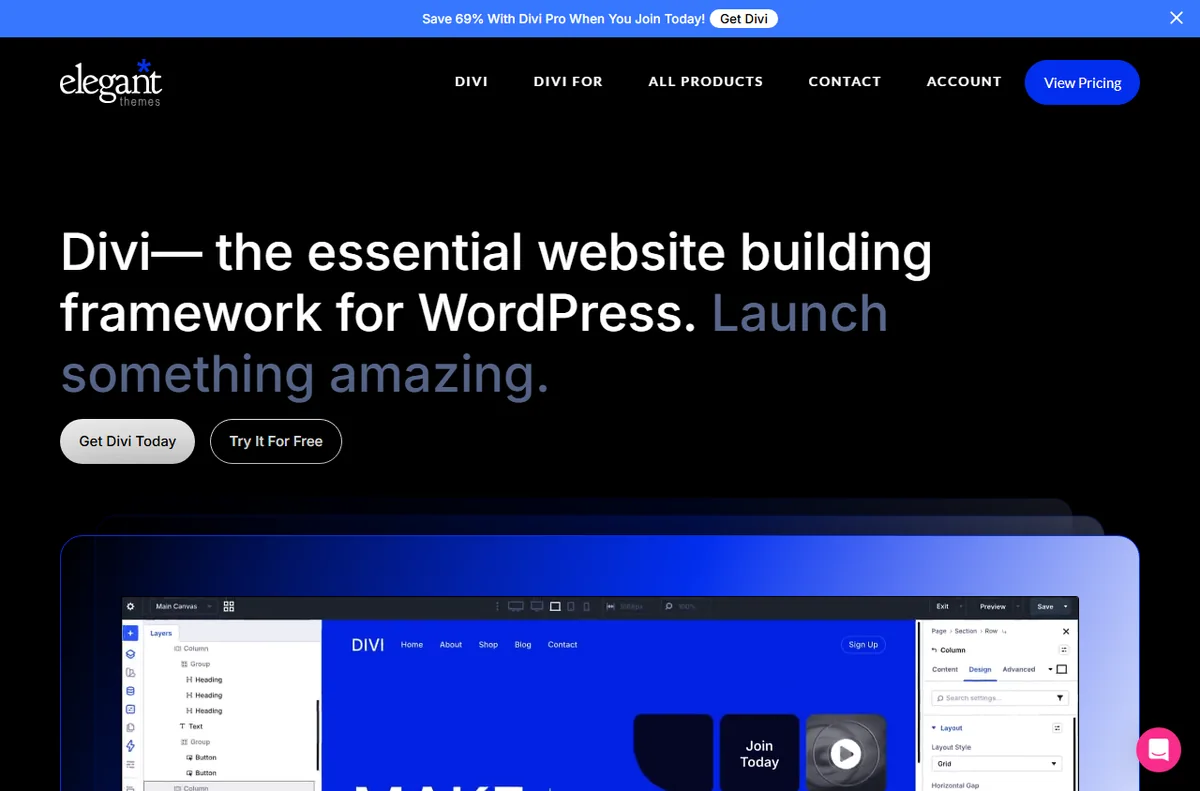
    Divi screenshot
    Divi official site (image: elegantthemes.com)

    Independent analysis. This page may contain affiliate links. Some links here are referral links; if you sign up through one we may earn a reward at no extra cost to you, and it never changes what we recommend. See our Affiliate Disclosure.

    TL;DR

    • Divi is WordPress theme and visual builder with lifetime pricing.
    • Best for: agencies building many WordPress sites.
    • Standout strength: lifetime pricing.
    • Pricing: From about $89/yr or $249 lifetime.

    Does Divi fit bloggers?

    For bloggers and content sites, Divi is a strong fit when lifetime pricing matters more than a learning curve. Teams that need the opposite often pair it with a complementary tool.

    Divi pre-made website layouts library
    Divi layouts (image: elegantthemes.com)

    What you get

    • A lifetime licence option
    • A powerful visual builder
    • A large preset library

    Where it falls short

    • A learning curve
    • Heavier than lighter builders
    • Locked to its ecosystem
    Divi documentation and getting started guide
    Divi docs (image: elegantthemes.com)

    How to set up Divi for bloggers

    • Create your account and pick the plan that matches your volume.
    • Connect the tools you already use for bloggers.
    • Start with one high-value workflow, then expand once it runs clean.
    • Review pricing before you scale usage or seats.
    Divi pricing and plans
    Divi pricing (image: elegantthemes.com)

    Pricing

    From about $89/yr or $249 lifetime. Confirm current pricing and renewal rates on the official site before committing.

    Alternatives to consider

    Divi blog tutorials and resources
    Divi blog (image: elegantthemes.com)

    Verdict

    Divi is worth it for bloggers and content sites when you value lifetime pricing. Compare it with the alternatives above and our full Divi review before you decide.

    Ready to try Divi? Check current plans and pricing on the official site. Visit Divi → (affiliate link)

    Frequently asked questions

    Is Divi good for bloggers?

    Yes, for many bloggers and content sites it is a solid choice, especially when lifetime pricing is a priority.

    How much does Divi cost?

    Entry pricing is from about $89/yr or $249 lifetime. Check the official pricing page for current numbers.

    Can I start free?

    There is no permanent free plan; there is usually a trial instead.

    Related reading

  • Divi for agencies: is it worth it in 2026?

    Divi for agencies: is it worth it in 2026?

    Home / Website Builders / Guides / Divi for agencies

    For agencies · Website Builders · updated 2026

    Divi for agencies: is it worth it in 2026?

    If you are digital and marketing agencies, here is how Divi fits, what it does well, where it falls short, and how to decide before you pay.

    Divi screenshot
    Divi official site (image: elegantthemes.com)

    Independent analysis. This page may contain affiliate links. Some links here are referral links; if you sign up through one we may earn a reward at no extra cost to you, and it never changes what we recommend. See our Affiliate Disclosure.

    TL;DR

    • Divi is WordPress theme and visual builder with lifetime pricing.
    • Best for: agencies building many WordPress sites.
    • Standout strength: lifetime pricing.
    • Pricing: From about $89/yr or $249 lifetime.

    Does Divi fit agencies?

    For digital and marketing agencies, Divi is a strong fit when lifetime pricing matters more than a learning curve. Teams that need the opposite often pair it with a complementary tool.

    Divi builder features and modules overview
    Divi features (image: elegantthemes.com)

    What you get

    • A lifetime licence option
    • A powerful visual builder
    • A large preset library

    Where it falls short

    • A learning curve
    • Heavier than lighter builders
    • Locked to its ecosystem
    Divi documentation and getting started guide
    Divi docs (image: elegantthemes.com)

    How to set up Divi for agencies

    • Create your account and pick the plan that matches your volume.
    • Connect the tools you already use for agencies.
    • Start with one high-value workflow, then expand once it runs clean.
    • Review pricing before you scale usage or seats.
    Divi pricing and plans
    Divi pricing (image: elegantthemes.com)

    Pricing

    From about $89/yr or $249 lifetime. Confirm current pricing and renewal rates on the official site before committing.

    Alternatives to consider

    Divi marketplace templates and plugins
    Divi Marketplace (image: elegantthemes.com)

    Verdict

    Divi is worth it for digital and marketing agencies when you value lifetime pricing. Compare it with the alternatives above and our full Divi review before you decide.

    Ready to try Divi? Check current plans and pricing on the official site. Visit Divi → (affiliate link)

    Frequently asked questions

    Is Divi good for agencies?

    Yes, for many digital and marketing agencies it is a solid choice, especially when lifetime pricing is a priority.

    How much does Divi cost?

    Entry pricing is from about $89/yr or $249 lifetime. Check the official pricing page for current numbers.

    Can I start free?

    There is no permanent free plan; there is usually a trial instead.

    Related reading

  • Divi for beginners: is it worth it in 2026?

    Divi for beginners: is it worth it in 2026?

    Home / Website Builders / Guides / Divi for beginners

    For beginners · Website Builders · updated 2026

    Divi for beginners: is it worth it in 2026?

    If you are complete beginners, here is how Divi fits, what it does well, where it falls short, and how to decide before you pay.

    Divi screenshot
    Divi official site (image: elegantthemes.com)

    Independent analysis. This page may contain affiliate links. Some links here are referral links; if you sign up through one we may earn a reward at no extra cost to you, and it never changes what we recommend. See our Affiliate Disclosure.

    TL;DR

    • Divi is WordPress theme and visual builder with lifetime pricing.
    • Best for: agencies building many WordPress sites.
    • Standout strength: lifetime pricing.
    • Pricing: From about $89/yr or $249 lifetime.

    Does Divi fit beginners?

    For complete beginners, Divi is a strong fit when lifetime pricing matters more than a learning curve. Teams that need the opposite often pair it with a complementary tool.

    Divi builder features and modules overview
    Divi features (image: elegantthemes.com)

    What you get

    • A lifetime licence option
    • A powerful visual builder
    • A large preset library

    Where it falls short

    • A learning curve
    • Heavier than lighter builders
    • Locked to its ecosystem
    Divi documentation and getting started guide
    Divi docs (image: elegantthemes.com)

    How to set up Divi for beginners

    • Create your account and pick the plan that matches your volume.
    • Connect the tools you already use for beginners.
    • Start with one high-value workflow, then expand once it runs clean.
    • Review pricing before you scale usage or seats.
    Divi pricing and plans
    Divi pricing (image: elegantthemes.com)

    Pricing

    From about $89/yr or $249 lifetime. Confirm current pricing and renewal rates on the official site before committing.

    Alternatives to consider

    Divi pre-made website layouts library
    Divi layouts (image: elegantthemes.com)

    Verdict

    Divi is worth it for complete beginners when you value lifetime pricing. Compare it with the alternatives above and our full Divi review before you decide.

    Ready to try Divi? Check current plans and pricing on the official site. Visit Divi → (affiliate link)

    Frequently asked questions

    Is Divi good for beginners?

    Yes, for many complete beginners it is a solid choice, especially when lifetime pricing is a priority.

    How much does Divi cost?

    Entry pricing is from about $89/yr or $249 lifetime. Check the official pricing page for current numbers.

    Can I start free?

    There is no permanent free plan; there is usually a trial instead.

    Related reading