We’re reader-supported — some links are affiliate links. Learn more →

Skip to content

Independent software research. Some links may earn us a commission at no extra cost to you. Learn more →

ICode

Category: Business Software

  • LiveAgent for Freelancers: Is It Worth It in 2026?

    Quick answer. For most freelancers a full help desk is more than needed — a simple chat widget and a tidy inbox are usually enough. LiveAgent makes sense only if you sell a product or run enough client volume that support becomes a real job.

    Independent analysis. This page may contain affiliate links.

    Start your LiveAgent free trial — one inbox for chat, email and phone. Start the free trial — using this link does not change the price you pay.

    The honest question: do you have support volume?

    LiveAgent is an all-in-one customer service platform whose core is a shared inbox: live chat, email tickets, phone calls, social messages and a knowledge base all arrive in one dashboard, so agents stop tab-hopping between tools.

    A freelancer usually juggles marketing, delivery and admin alone. A help desk only pays off when incoming questions are frequent enough that answering them ad hoc costs you billable time.
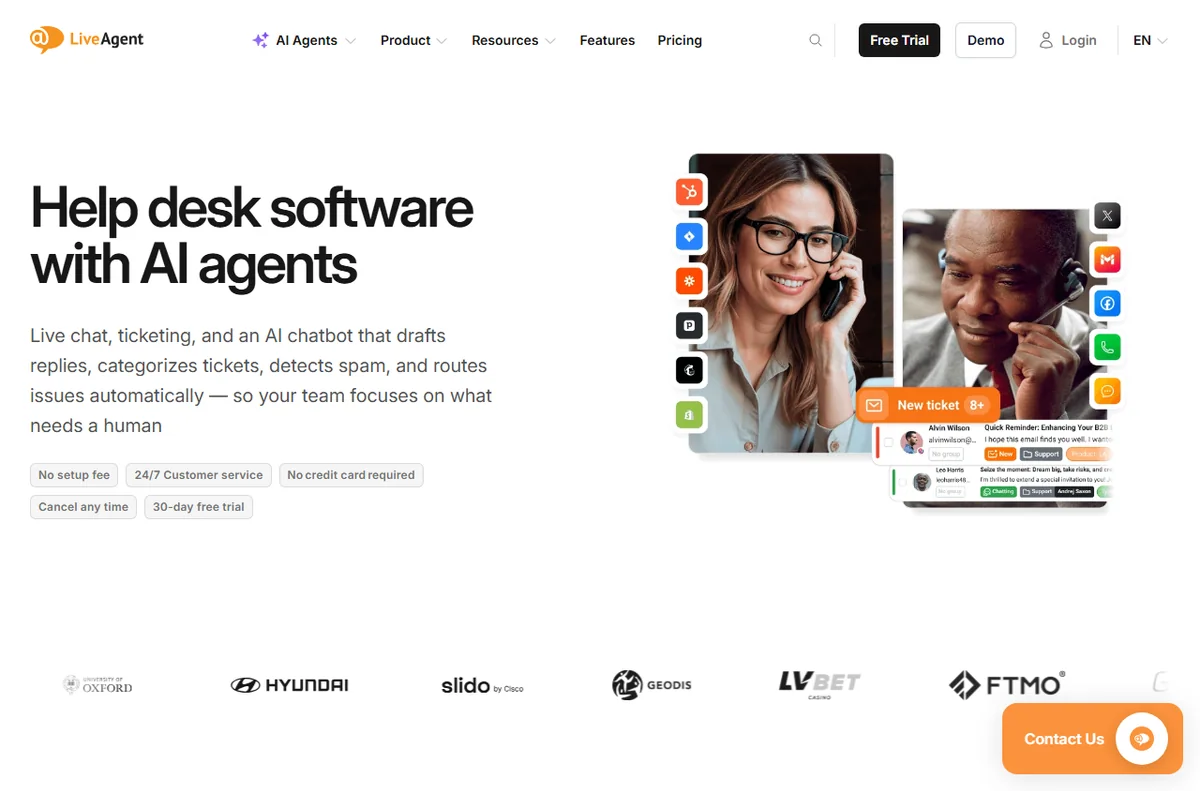
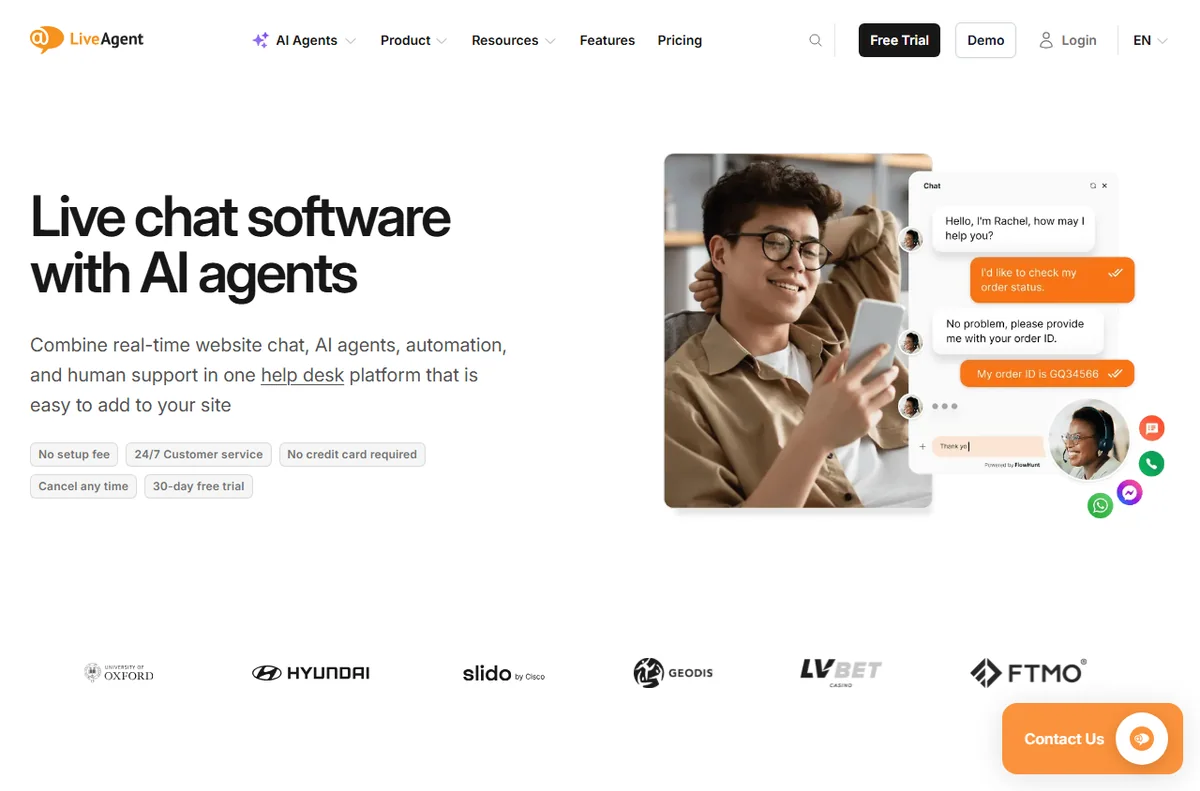
    LiveAgent help desk overview
    LiveAgent help desk (image: liveagent.com)

    What a freelancer actually needs

    It is cloud-hosted and priced per agent rather than per contact, and the vendor offers a 30-day free trial that it says needs no credit card (checked October 14, 2026).

    If clients email you, one connected support address with saved replies may be all you need. If you sell digital products, a chat widget plus a FAQ page covers the repeat questions.
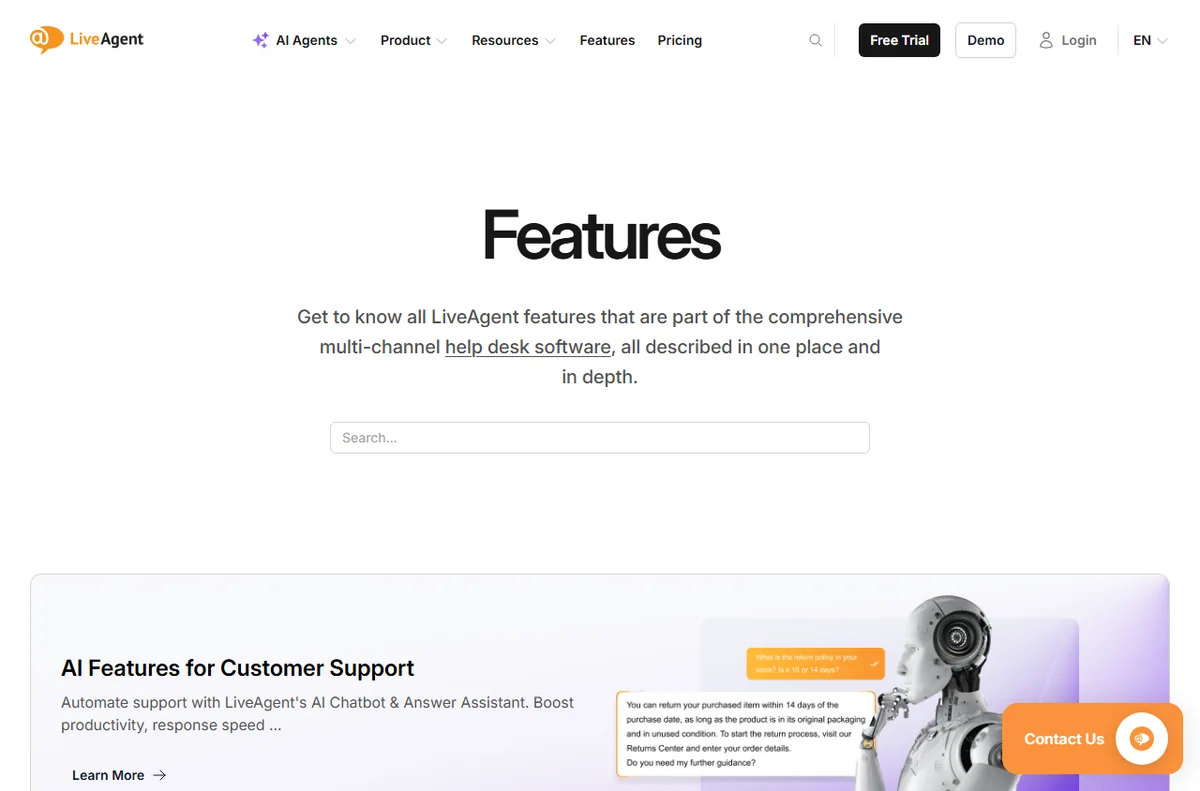
    LiveAgent feature overview
    LiveAgent features (image: liveagent.com)

    When LiveAgent starts to make sense

    Three situations tip it: you sell digital products with real question volume, you subcontract and need a shared inbox, or you want to look more established than a personal Gmail address.

    Below that line, the per-agent pricing is hard to justify for a team of one.

    Risks to watch

    The main risk is buying a suite and using ten percent of it. Do not pay for call center, SLA or AI features you will never touch just because they exist on a higher tier.
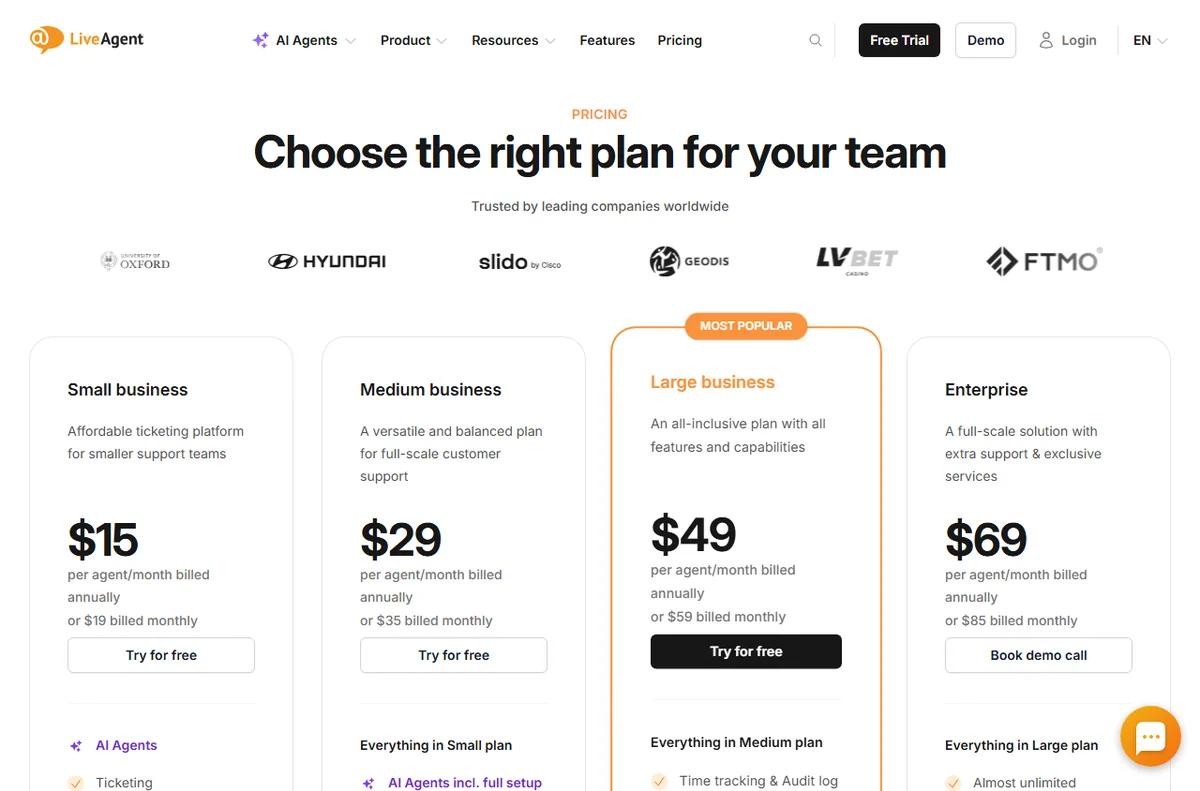
    LiveAgent pricing per agent
    LiveAgent pricing (image: liveagent.com)

    Pricing for a solo freelancer

    On pricing, LiveAgent charges per agent seat. Annual billing is cheaper than monthly, and the tier you pick decides which channels and features unlock. The vendor lists Small, Medium, Large and Enterprise tiers; exact figures change, so treat any number as indicative and check live pricing before you commit.

    Verdict for freelancers

    Usually skip it until support volume grows. When it does, trial LiveAgent and use only chat, email and the knowledge base — the rest is for teams.

    The cheaper path for most freelancers

    Before buying a desk, ask whether a shared inbox with saved replies would cover you. For many freelancers it does, and it costs nothing extra. A help desk starts to pay off only when questions arrive often enough to interrupt paid work.

    If you do buy, use chat, email and a knowledge base and leave the rest switched off. Paying for a suite you use ten percent of is the classic freelancer mistake.
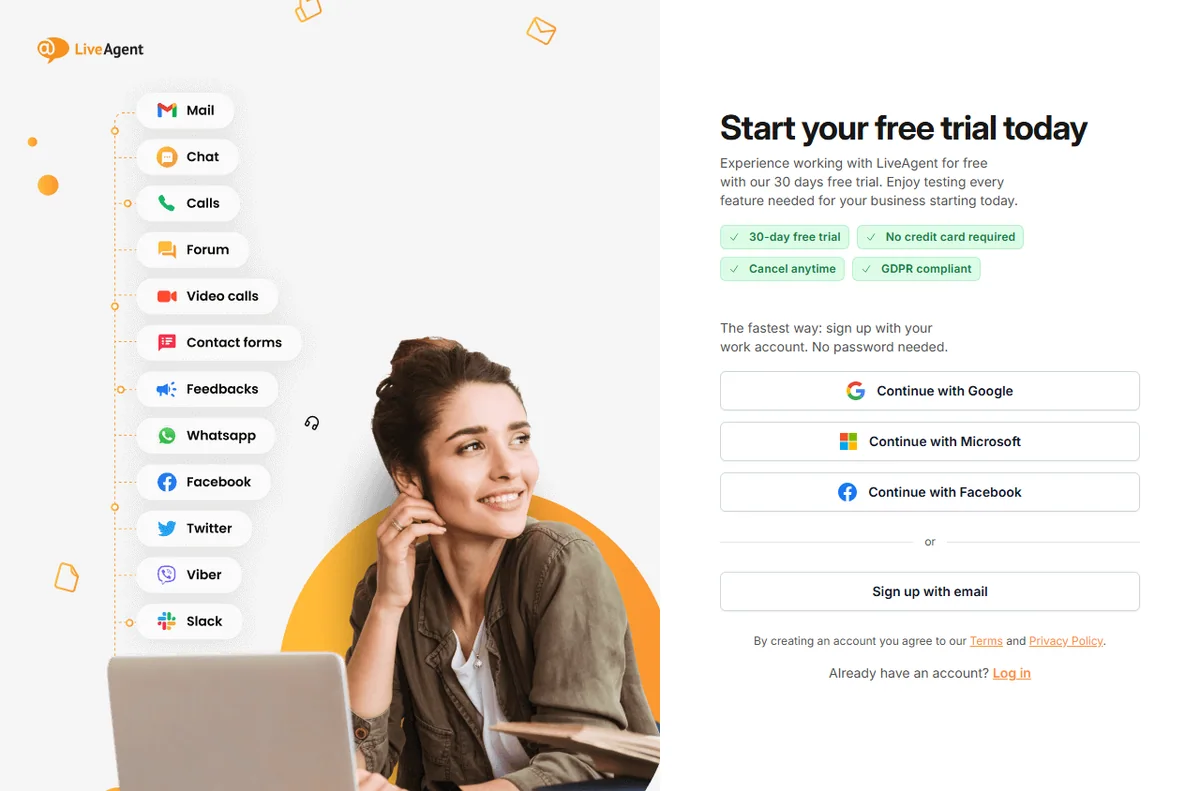
    LiveAgent free trial
    LiveAgent free trial (image: liveagent.com)

    A simple week on the free trial

    The trial only tells you something if you test it on real work. Here is a plan that fits a busy week:

    • Day 1 — connect the channel you actually use
    • Day 2 — invite a teammate and set one routing rule
    • Day 3 — write five saved replies and three FAQ answers
    • Days 4-6 — answer live conversations and note friction
    • Day 7 — decide on evidence, not on the last-day impulse

    How it compares with the alternatives

    The usual alternatives are Zendesk, Freshdesk and Tidio. Zendesk suits larger, process-heavy teams; Freshdesk offers a broad help desk with a gentler entry; Tidio fits when website chat is all you need. Weigh them on channels, pricing model and fit, not on feature-list length, and confirm current plans on each vendor site.

    What we did and did not verify

    We based this on the vendor’s own public pages as of October 14, 2026, and labelled vendor-sourced figures. We did not run a hands-on lab test, so we make no performance or reliability claims of our own. Use this as orientation, then confirm specifics with the vendor.
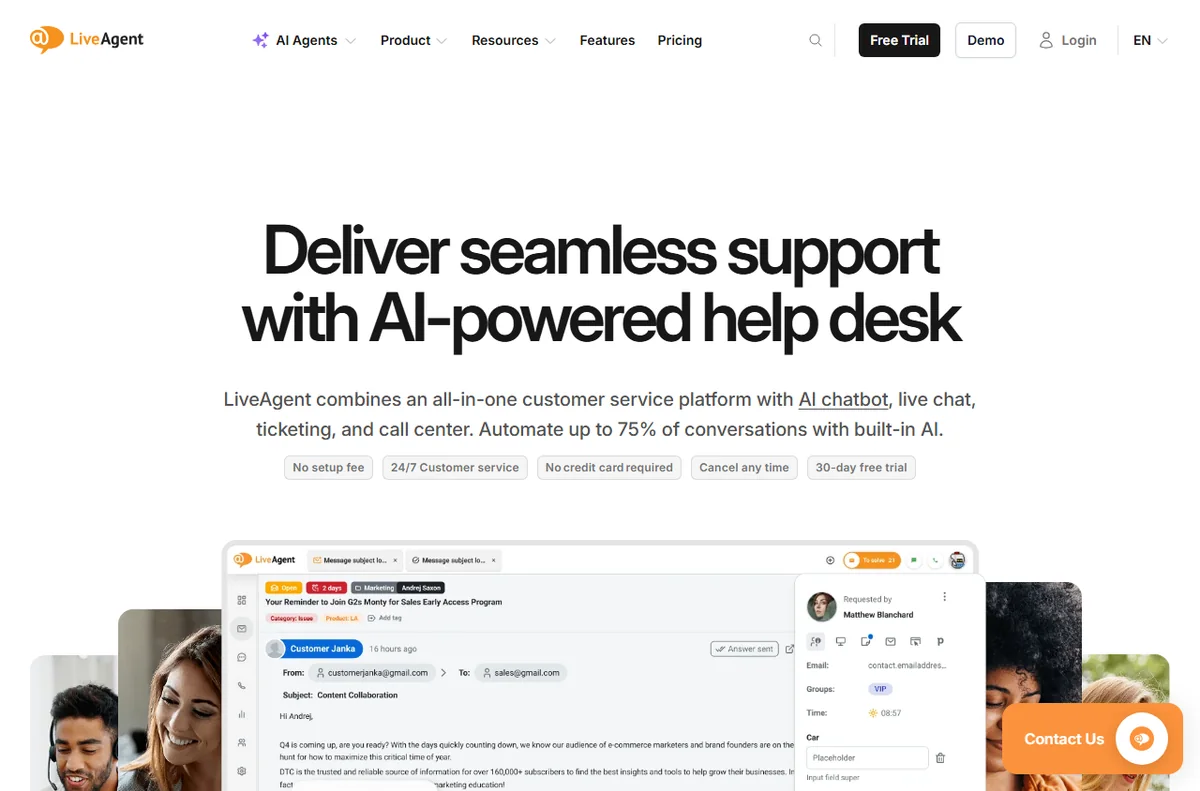
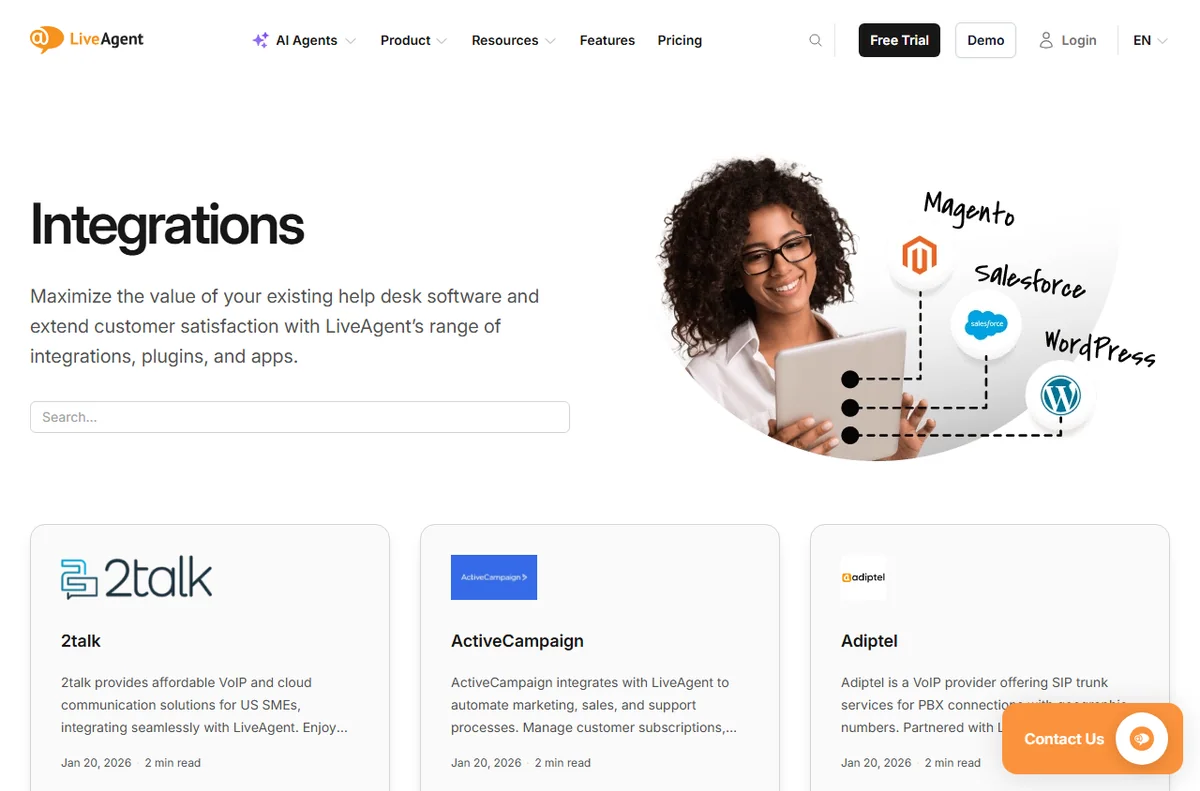
    LiveAgent help desk software home page
    LiveAgent (image: liveagent.com)

    Bottom line for freelancers

    Usually skip it until support volume grows. When it does, trial LiveAgent and use only the parts you will actually touch.
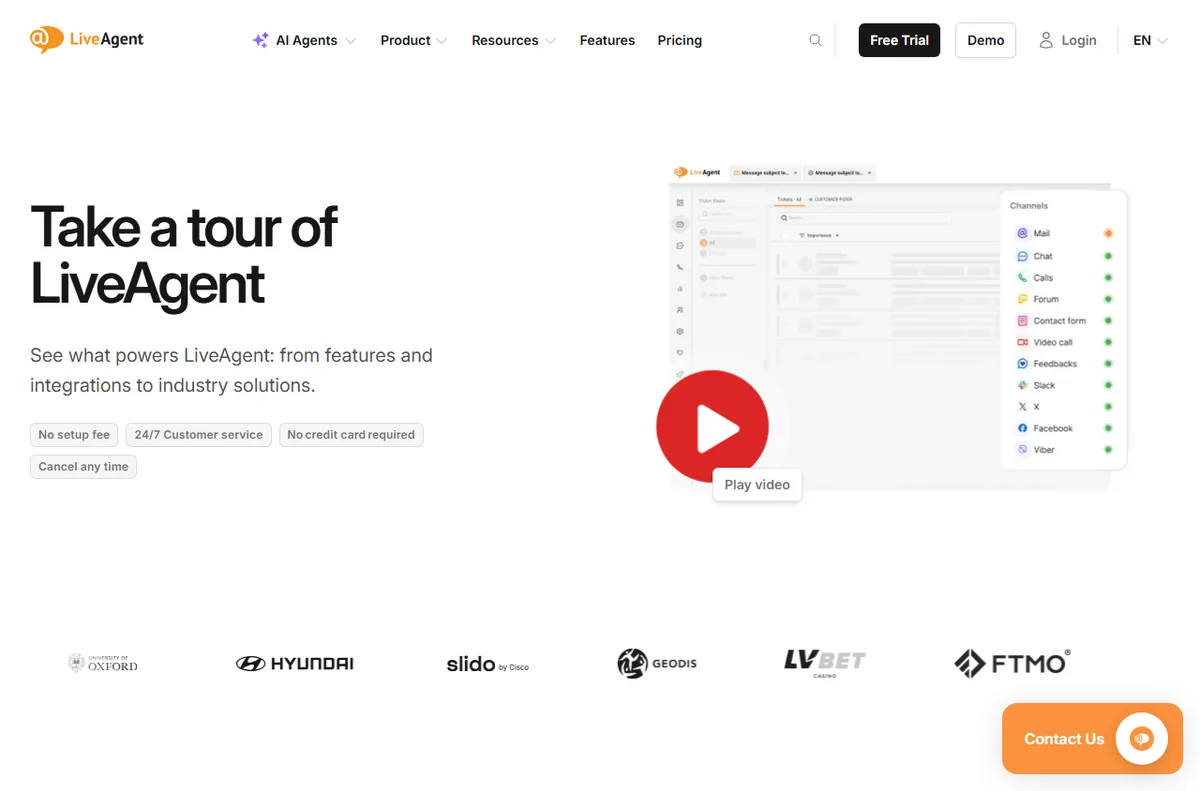
    LiveAgent shared inbox dashboard
    LiveAgent dashboard tour (image: liveagent.com)

    When a client wants a shared support channel

    Some freelance contracts include ongoing support, and a shared inbox suddenly becomes part of the deliverable. That is the moment a freelancer genuinely needs a tool like LiveAgent: when someone else expects a traceable support channel rather than your personal email.

    In that case, set it up narrowly for that client, keep the seat count at one, and use the knowledge base to answer repeats. Treat it as billing to the contract, not as a personal expense you absorb.

    If no client asks for it, you probably do not need it yet. Buy the tool when the work pays for it, not before.

  • LiveAgent for Agencies: Is It Worth It in 2026?

    Quick answer. LiveAgent can suit agencies that run support on behalf of clients: shared inboxes, multiple channels and SLA-oriented views let one team answer across brands. The per-agent model is predictable, but you must watch seat count as you scale.

    Independent analysis. This page may contain affiliate links.

    Start your LiveAgent free trial — one inbox for chat, email and phone. Start the free trial — using this link does not change the price you pay.

    The agency problem: many brands, one team

    LiveAgent is an all-in-one customer service platform whose core is a shared inbox: live chat, email tickets, phone calls, social messages and a knowledge base all arrive in one dashboard, so agents stop tab-hopping between tools.

    An agency answering for several clients inherits several inboxes, several tone-of-voice rules and several SLAs. Doing that in separate tools multiplies logins, bills and mistakes.

    LiveAgent help desk inbox for support teams
    LiveAgent help desk (image: liveagent.com)

    What LiveAgent gives an agency

    It is cloud-hosted and priced per agent rather than per contact, and the vendor offers a 30-day free trial that it says needs no credit card (checked October 14, 2026).

    A shared inbox with routing and assignment lets agents pick up tickets across brands. Saved replies and a knowledge base per brand keep answers consistent. SLA views help you prove you hit client commitments.

    LiveAgent integrations for connecting channels
    LiveAgent integrations (image: liveagent.com)

    Multi-brand and multi-channel work

    Chat on client sites, email for tickets, social for the channels each brand uses — all land in the same system. That centralisation is the agency argument for a platform rather than a bundle of widgets.

    Confirm how multi-brand separation works on your chosen tier; the details change by plan, so check with the vendor.

    Where it may not fit

    If clients demand their own self-hosted systems, or if you need deep project management alongside support, LiveAgent is a support tool first and will not replace your PM stack.

    LiveAgent pricing tiers billed per agent
    LiveAgent pricing (image: liveagent.com)

    Pricing for agencies

    On pricing, LiveAgent charges per agent seat. Annual billing is cheaper than monthly, and the tier you pick decides which channels and features unlock. The vendor lists Small, Medium, Large and Enterprise tiers; exact figures change, so treat any number as indicative and check live pricing before you commit.

    Verdict for agencies

    Worth trialling if you run support for several clients and want one desk and one bill. Model your seat count carefully first, because per-agent pricing rewards lean teams and punishes sprawl.

    LiveAgent agent dashboard tour
    LiveAgent dashboard tour (image: liveagent.com)

    Proving service to clients

    Agencies sell outcomes, and support response time is one of them. SLA-oriented views and reporting let you show a client that their questions are answered within target, which is hard to prove from a shared personal inbox.

    That evidence is often worth more to the agency relationship than the tooling itself, because it turns support from an invisible cost into a measurable service line.

    A simple week on the free trial

    The trial only tells you something if you test it on real work. Here is a plan that fits a busy week:

    • Day 1 — connect the channel you actually use
    • Day 2 — invite a teammate and set one routing rule
    • Day 3 — write five saved replies and three FAQ answers
    • Days 4-6 — answer live conversations and note friction
    • Day 7 — decide on evidence, not on the last-day impulse
    LiveAgent feature overview
    LiveAgent features (image: liveagent.com)

    How it compares with the alternatives

    The usual alternatives are Zendesk, Freshdesk and Tidio. Zendesk suits larger, process-heavy teams; Freshdesk offers a broad help desk with a gentler entry; Tidio fits when website chat is all you need. Weigh them on channels, pricing model and fit, not on feature-list length, and confirm current plans on each vendor site.

    What we did and did not verify

    We based this on the vendor’s own public pages as of October 14, 2026, and labelled vendor-sourced figures. We did not run a hands-on lab test, so we make no performance or reliability claims of our own. Use this as orientation, then confirm specifics with the vendor.

    LiveAgent help desk software home page
    LiveAgent (image: liveagent.com)

    Bottom line for agencies

    Trial it if you run support for several brands and want one desk and one bill. Model your seat count first, because per-agent pricing rewards lean teams and punishes sprawl.

    Pricing and seats when you run an agency desk

    Per-agent pricing suits an agency that staffs support leanly but answers a lot. Where it can bite is seasonal work: if you add contractors for a busy month, you pay for those seats and then need to remove them. Plan your seat count around your steady team and bring in extras only when a contract justifies it.

    The vendor notes that adding seats mid-term creates a top-up at the same rate, which keeps mid-month growth predictable rather than punitive. Confirm the exact seat rules on the current pricing page before you commit a client SLA to them.

    Budget for the tier, not just the seats: the channels and SLA features a client expects may sit above the entry plan, so check what each client contract actually requires before you quote them a number.

  • LiveAgent for Beginners: Is It Worth It in 2026?

    Quick answer. For beginners, LiveAgent is approachable because the core tasks — answer a chat, reply to a ticket, publish a FAQ — are standard. The 30-day free trial with no card makes it easy to learn on real work before paying.

    Independent analysis. This page may contain affiliate links.

    Start your LiveAgent free trial — one inbox for chat, email and phone. Start the free trial — using this link does not change the price you pay.

    LiveAgent help desk product overview
    LiveAgent help desk (image: liveagent.com)

    What you are actually signing up for

    LiveAgent is an all-in-one customer service platform whose core is a shared inbox: live chat, email tickets, phone calls, social messages and a knowledge base all arrive in one dashboard, so agents stop tab-hopping between tools.

    Strip away the feature list and a help desk is three things: a place where messages arrive, a way to reply to them, and a way to remember the answers. LiveAgent does all three and adds more on top.

    Starting small on the trial

    It is cloud-hosted and priced per agent rather than per contact, and the vendor offers a 30-day free trial that it says needs no credit card (checked October 14, 2026).

    You do not need to set up every channel on day one. Add website chat, connect one email address, and write three knowledge-base answers. That minimum is enough to feel whether it fits your workflow.

    Leave the call center, SLA rules and AI features until you have real volume; turning everything on at once is how beginners get overwhelmed.

    LiveAgent dashboard tour
    LiveAgent dashboard tour (image: liveagent.com)

    First-week checklist

    • Install the chat widget on one page
    • Connect a support email address
    • Write three FAQ answers in the knowledge base
    • Invite one teammate as an agent
    • Answer a real conversation end to end

    Common beginner mistakes

    The classic errors are paying for a high tier before testing volume, activating every channel at once, and skipping the knowledge base so agents keep retyping answers. Start narrow and expand.

    LiveAgent pricing per agent
    LiveAgent pricing (image: liveagent.com)

    Pricing when you are new

    On pricing, LiveAgent charges per agent seat. Annual billing is cheaper than monthly, and the tier you pick decides which channels and features unlock. The vendor lists Small, Medium, Large and Enterprise tiers; exact figures change, so treat any number as indicative and check live pricing before you commit.

    Verdict for beginners

    If you are new to support tools, the trial is genuinely low-risk: no card, real features. Learn it on a handful of conversations before you commit to a paid tier.

    What beginners should ignore at first

    New users get lost by switching everything on. Ignore the call center, advanced SLA rules, AI configuration and deep automation for now. Learn chat, email and the knowledge base properly before adding anything else.

    The goal in week one is not to configure a perfect system; it is to answer real customers without confusion. Everything else can wait.

    LiveAgent free trial start page
    LiveAgent free trial (image: liveagent.com)

    A simple week on the free trial

    The trial only tells you something if you test it on real work. Here is a plan that fits a busy week:

    • Day 1 — connect the channel you actually use
    • Day 2 — invite a teammate and set one routing rule
    • Day 3 — write five saved replies and three FAQ answers
    • Days 4-6 — answer live conversations and note friction
    • Day 7 — decide on evidence, not on the last-day impulse

    How it compares with the alternatives

    The usual alternatives are Zendesk, Freshdesk and Tidio. Zendesk suits larger, process-heavy teams; Freshdesk offers a broad help desk with a gentler entry; Tidio fits when website chat is all you need. Weigh them on channels, pricing model and fit, not on feature-list length, and confirm current plans on each vendor site.

    What we did and did not verify

    We based this on the vendor’s own public pages as of October 14, 2026, and labelled vendor-sourced figures. We did not run a hands-on lab test, so we make no performance or reliability claims of our own. Use this as orientation, then confirm specifics with the vendor.

    LiveAgent help desk software home page
    LiveAgent (image: liveagent.com)

    Bottom line for beginners

    The 30-day no-card trial is a genuinely low-risk way to learn a support tool on real conversations. Start narrow, expand only when volume demands it.

    The support terms worth learning first

    A few words will make everything else easier. A ticket is one customer conversation. Routing sends tickets to the right person. An SLA is a promise about how fast you reply. A knowledge base is your public FAQ. Saved replies are reusable answers.

    You do not need to master the jargon to start. Learn those five, connect one channel, and answer a real question. The rest of the vocabulary will arrive as you use the tool, which is a far better teacher than a settings tour.

    If a term still feels opaque after a week, that is usually a sign the feature behind it is one you do not yet need. Skip it and come back when the volume demands it.

  • LiveAgent for Coaches: Is It Worth It in 2026?

    Quick answer. LiveAgent suits coaches who field a steady mix of pre-sales questions and client support: live chat captures leads, email tickets keep follow-ups organised, and a knowledge base reduces repeat questions. It is a poor fit if you have no support volume and just need a booking link.

    Independent analysis. This page may contain affiliate links.

    Start your LiveAgent free trial — one inbox for chat, email and phone. Start the free trial — using this link does not change the price you pay.

    Why coaches often need a light help desk

    LiveAgent is an all-in-one customer service platform whose core is a shared inbox: live chat, email tickets, phone calls, social messages and a knowledge base all arrive in one dashboard, so agents stop tab-hopping between tools.

    Coaching is a relationship business, but the admin around it is repetitive: discovery-call questions, onboarding steps, session links, refund policies. Handling that in one inbox with saved answers frees your attention for actual coaching.

    LiveAgent shared help desk inbox
    LiveAgent help desk (image: liveagent.com)

    What LiveAgent gives a coach

    It is cloud-hosted and priced per agent rather than per contact, and the vendor offers a 30-day free trial that it says needs no credit card (checked October 14, 2026).

    The chat widget can sit on your sales page to answer “how does this work” before a prospect leaves. Email ticketing keeps client threads separate from personal mail. The knowledge base becomes a self-serve FAQ for onboarding.

    LiveAgent live chat widget and inbox
    LiveAgent live chat (image: liveagent.com)

    Lead capture vs client support

    These are two different jobs and LiveAgent does both. Use the chat and forms for pre-sale questions, and the ticketing and knowledge base for existing clients. One tool covering both avoids paying for a chat app and a help desk separately.

    What you can ignore

    Unless you run group programmes with live calls at volume, the call center and advanced SLA features are ballast. Buy the simple tier, use chat plus email, and grow into the rest.

    LiveAgent pricing tiers billed per agent
    LiveAgent pricing (image: liveagent.com)

    Pricing for a solo coach

    On pricing, LiveAgent charges per agent seat. Annual billing is cheaper than monthly, and the tier you pick decides which channels and features unlock. The vendor lists Small, Medium, Large and Enterprise tiers; exact figures change, so treat any number as indicative and check live pricing before you commit.

    Verdict for coaches

    If prospects ask the same questions weekly and clients need onboarding answers, LiveAgent earns its keep. If you have almost no inbound questions, a booking tool and a decent FAQ page are enough.

    Separating sales questions from client support

    Coaches usually run two conversations at once: pre-sale questions from prospects, and support from paying clients. Mixing them in one personal inbox is how good leads get missed. A shared inbox lets you tag and route the two apart while still seeing everything in one place.

    Use chat and forms for prospects, and tickets plus the knowledge base for clients. That single split brings most of the benefit without any advanced configuration.

    LiveAgent free trial sign-up page
    LiveAgent free trial (image: liveagent.com)

    A simple week on the free trial

    The trial only tells you something if you test it on real work. Here is a plan that fits a busy week:

    • Day 1 — connect the channel you actually use
    • Day 2 — invite a teammate and set one routing rule
    • Day 3 — write five saved replies and three FAQ answers
    • Days 4-6 — answer live conversations and note friction
    • Day 7 — decide on evidence, not on the last-day impulse

    How it compares with the alternatives

    The usual alternatives are Zendesk, Freshdesk and Tidio. Zendesk suits larger, process-heavy teams; Freshdesk offers a broad help desk with a gentler entry; Tidio fits when website chat is all you need. Weigh them on channels, pricing model and fit, not on feature-list length, and confirm current plans on each vendor site.

    What we did and did not verify

    We based this on the vendor’s own public pages as of October 14, 2026, and labelled vendor-sourced figures. We did not run a hands-on lab test, so we make no performance or reliability claims of our own. Use this as orientation, then confirm specifics with the vendor.

    LiveAgent help desk software home page
    LiveAgent (image: liveagent.com)

    Bottom line for coaches

    If you field the same questions every week and onboard clients repeatedly, LiveAgent pays for itself in saved time. If your inbox is quiet, a booking link and an FAQ page will do.

    Independent analysis. This page may contain affiliate links.

  • LiveAgent for Ecommerce: Is It Worth It in 2026?

    Quick answer. LiveAgent is a reasonable fit for small and mid-sized stores that answer pre-sale and order questions across chat, email and social. It unifies those channels in one inbox; it is not an ecommerce platform itself, so it complements rather than replaces your store tooling.

    Independent analysis. This page may contain affiliate links.

    Start your LiveAgent free trial — one inbox for chat, email and phone. Start the free trial — using this link does not change the price you pay.

    Where a store feels the pain

    LiveAgent is an all-in-one customer service platform whose core is a shared inbox: live chat, email tickets, phone calls, social messages and a knowledge base all arrive in one dashboard, so agents stop tab-hopping between tools.

    Stores lose sales to unanswered questions: sizing, shipping, returns, order status. If those questions arrive on three channels and live in three places, response times slip and carts are abandoned.

    LiveAgent shared help desk inbox
    LiveAgent help desk (image: liveagent.com)

    What LiveAgent brings to a store

    It is cloud-hosted and priced per agent rather than per contact, and the vendor offers a 30-day free trial that it says needs no credit card (checked October 14, 2026).

    Chat on product pages handles pre-sale questions. Email ticketing centralises order and returns queries. Social support covers the DMs shoppers send. A knowledge base pre-answers shipping and returns policy questions.

    LiveAgent integrations directory
    LiveAgent integrations (image: liveagent.com)

    Integrations matter here

    The vendor states 200+ integrations plus an API and webhooks. For a store, the value is connecting support to your shop platform and CRM so an agent can see order context without switching tabs. Check that your specific platform is supported before you commit.

    We could not verify every integration ourselves; treat the vendor count as vendor-sourced and confirm your platform on their list.

    What it is not

    LiveAgent is not a storefront, a checkout or a marketing automation suite. Do not buy it expecting abandoned-cart emails or product pages — those belong to your ecommerce platform and email tool.

    LiveAgent pricing tiers billed per agent
    LiveAgent pricing (image: liveagent.com)

    Pricing for a store

    On pricing, LiveAgent charges per agent seat. Annual billing is cheaper than monthly, and the tier you pick decides which channels and features unlock. The vendor lists Small, Medium, Large and Enterprise tiers; exact figures change, so treat any number as indicative and check live pricing before you commit.

    Verdict for ecommerce teams

    If support volume crosses chat, email and social and you want one place to answer, it is worth trialling. If you are a very small store with a trickle of messages, a lighter chat widget may be enough.

    Where support touches revenue

    Support is not just cost in a store; it touches revenue. A fast answer to a sizing or shipping question can save a sale, and a tidy returns process brings customers back. Putting chat, email and social in one inbox shortens the gap between a question and an answer.

    Keep scope tight: you are buying a support desk, not a storefront. The store, checkout and cart emails stay in your ecommerce platform.

    LiveAgent free trial sign-up page
    LiveAgent free trial (image: liveagent.com)

    A simple week on the free trial

    The trial only tells you something if you test it on real work. Here is a plan that fits a busy week:

    • Day 1 — connect the channel you actually use
    • Day 2 — invite a teammate and set one routing rule
    • Day 3 — write five saved replies and three FAQ answers
    • Days 4-6 — answer live conversations and note friction
    • Day 7 — decide on evidence, not on the last-day impulse

    How it compares with the alternatives

    The usual alternatives are Zendesk, Freshdesk and Tidio. Zendesk suits larger, process-heavy teams; Freshdesk offers a broad help desk with a gentler entry; Tidio fits when website chat is all you need. Weigh them on channels, pricing model and fit, not on feature-list length, and confirm current plans on each vendor site.

    What we did and did not verify

    We based this on the vendor’s own public pages as of October 14, 2026, and labelled vendor-sourced figures. We did not run a hands-on lab test, so we make no performance or reliability claims of our own. Use this as orientation, then confirm specifics with the vendor.

    LiveAgent help desk software home page
    LiveAgent (image: liveagent.com)

    Bottom line for ecommerce teams

    If questions arrive across several channels and response time matters to sales, trial it. If you are a small store with a trickle of messages, a lighter chat widget may be enough.

    Independent analysis. This page may contain affiliate links.

  • LiveAgent for Bloggers: Is It Worth It in 2026?

    Quick answer. LiveAgent can be worth it for bloggers who get repeat reader questions: live chat, email ticketing and a knowledge base let you answer once and reuse the answer. It is overkill if you only publish posts and rarely talk to readers.

    Independent analysis. This page may contain affiliate links.

    Start your LiveAgent free trial — one inbox for chat, email and phone. Start the free trial — using this link does not change the price you pay.

    LiveAgent help desk overview
    LiveAgent help desk (image: liveagent.com)

    Why a blog would need a help desk at all

    LiveAgent is an all-in-one customer service platform whose core is a shared inbox: live chat, email tickets, phone calls, social messages and a knowledge base all arrive in one dashboard, so agents stop tab-hopping between tools.

    A blog usually starts with comments and a contact form. As it grows, the same questions repeat: how do I download this, where is the template, can you fix my order. A shared inbox with a knowledge base turns those repeats into one published answer instead of twenty replies.

    If you monetise with products, courses or sponsorships, reader questions start to look like customer-support questions, and that is when a small desk earns its place.

    LiveAgent feature overview
    LiveAgent features (image: liveagent.com)

    What LiveAgent gives a blog

    It is cloud-hosted and priced per agent rather than per contact, and the vendor offers a 30-day free trial that it says needs no credit card (checked October 14, 2026).

    For a blog the useful parts are the chat widget you can drop on any page, the email ticketing that keeps reader mail out of your personal inbox, and the knowledge base you publish as a help section.

    The knowledge base is arguably the best bit for a blogger: you write an answer once and link readers to it forever.

    LiveAgent live chat widget
    LiveAgent live chat (image: liveagent.com)

    Channels that actually matter for a blog

    You probably do not need the call center. Email plus website chat covers most blog traffic, with social messages as a bonus if you are active on those platforms.

    Start with chat and email, ignore the phone features, and add channels only when readers actually use them.

    Where it is overkill for a blogger

    If you post once a week, get a handful of comments and have no product to support, a full help desk is more software than you need. A simple contact form and a good FAQ page can do the job.

    The per-agent model also assumes there are agents. If it is only you and you rarely answer questions, the value is thin.

    LiveAgent pricing plans
    LiveAgent pricing (image: liveagent.com)

    Pricing for a solo blog

    On pricing, LiveAgent charges per agent seat. Annual billing is cheaper than monthly, and the tier you pick decides which channels and features unlock. The vendor lists Small, Medium, Large and Enterprise tiers; exact figures change, so treat any number as indicative and check live pricing before you commit.

    Verdict for bloggers

    Buy it if reader questions are becoming a real workload or you sell something behind the blog. Skip it if you are a hobby publisher with no support load. Either way, test on the free trial first — that is the honest way to decide.

    Turning reader questions into a system

    The real win is turning ad-hoc replies into a system. Save your best answers as snippets, group recurring themes into knowledge-base articles, and link your FAQ from the main menu. Over a few months the volume of repeat questions drops, which is the entire point of buying a desk as a blogger.

    None of that needs the phone or SLA features. It is chat, email and the knowledge base, used consistently, and that is a small, cheap slice of the platform.

    LiveAgent free trial
    LiveAgent free trial (image: liveagent.com)

    A simple week on the free trial

    The trial only tells you something if you test it on real work. Here is a plan that fits a busy week:

    • Day 1 — connect the channel you actually use
    • Day 2 — invite a teammate and set one routing rule
    • Day 3 — write five saved replies and three FAQ answers
    • Days 4-6 — answer live conversations and note friction
    • Day 7 — decide on evidence, not on the last-day impulse

    How it compares with the alternatives

    The usual alternatives are Zendesk, Freshdesk and Tidio. Zendesk suits larger, process-heavy teams; Freshdesk offers a broad help desk with a gentler entry; Tidio fits when website chat is all you need. Weigh them on channels, pricing model and fit, not on feature-list length, and confirm current plans on each vendor site.

    LiveAgent help desk software home page
    LiveAgent (image: liveagent.com)

    What we did and did not verify

    We based this on the vendor’s own public pages as of October 14, 2026, and labelled vendor-sourced figures. We did not run a hands-on lab test, so we make no performance or reliability claims of our own. Use this as orientation, then confirm specifics with the vendor.

    Bottom line for bloggers

    If reader questions have quietly become part of the job, LiveAgent is a tidy way to handle them in one place. If they have not, wait — the tool will still be there when they do.