Home / Hosting / Guides / How to use Hostinger for a small business
Use case · hosting · updated October 7, 2026
How to use Hostinger for a small business website — without a developer
You do not need a developer to run a credible small-business website. You need hosting that is easy to operate, a simple stack, and a short list of habits that keep the site fast and safe.

Independent analysis. This page may contain affiliate links. Some links here are referral links; if you sign up through one we may earn a reward at no extra cost to you, and it never changes what we recommend. We are an independent publisher and are not affiliated with, endorsed by, or an official partner of any tool mentioned. See our Affiliate Disclosure.
TL;DR
- Run a lean stack: WordPress, a light theme, and few plugins.
- Use the host tools for backups, SSL and staging.
- Give the business a branded email address on your domain.
- Keep the site fast — speed affects both users and search.
- Plan for renewal pricing so it never surprises you.
On this page: Keep the stack lean · Launch pages · Business email · Selling online · Staging and backups · Speed · Renewals · Where this fits
Keep the stack lean
- A current WordPress core, updated automatically.
- A lightweight theme rather than a heavy multipurpose one.
- Only the plugins you actually use — each one is a liability.
- A cache layer, switched on and configured once.

Launch the pages you need
A small business site usually needs a handful of pages: home, services or products, about, contact, and a legal page. Build those well before adding a blog; depth beats breadth early on.
Give the business a real email address
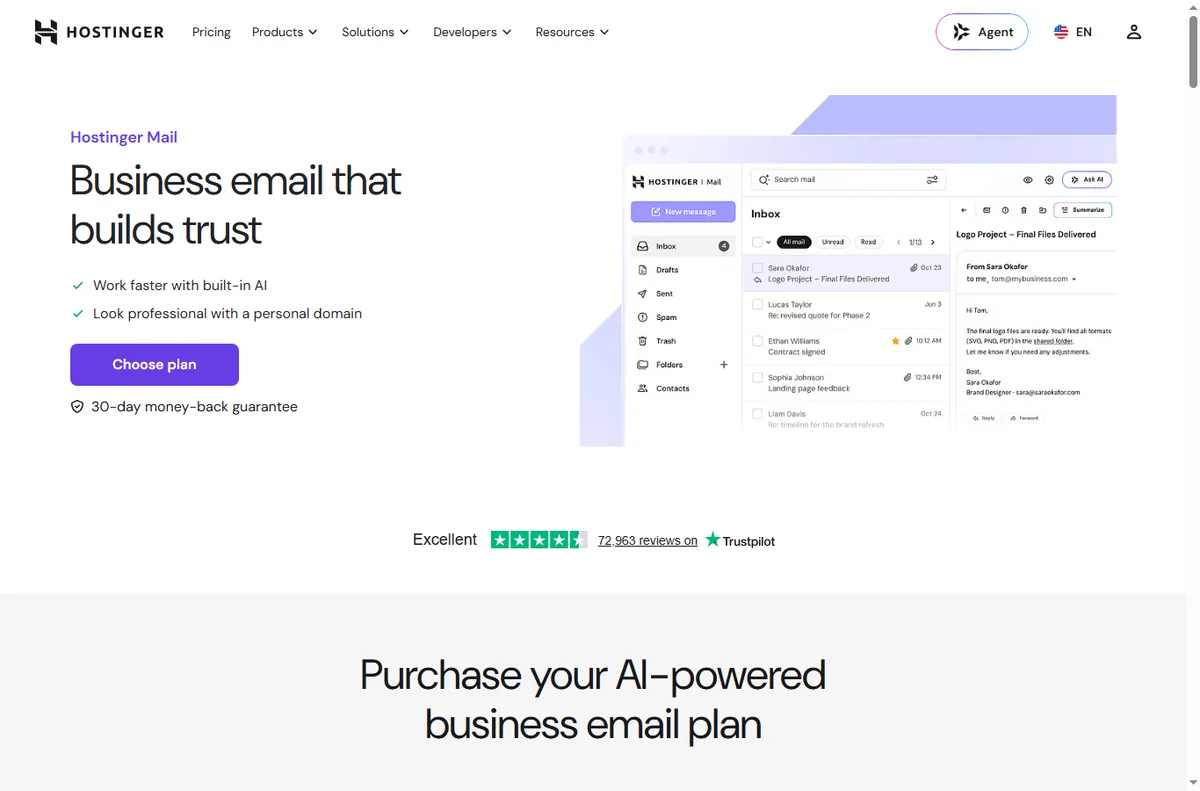
Create addresses on your own domain for sales and support, and use them consistently. Consistent branded senders improve trust and deliverability compared with free-mail addresses.
If you sell online
A light ecommerce setup on your own host is very achievable for a small catalogue. Keep the product count and plugin count modest, and make sure the checkout works on a phone before you promote it.

Use staging and backups like a pro
Make changes on a staging copy first, then push them live. Keep automated backups and verify that a restore actually works — an untested backup is not a backup.
Keep the site fast
- Compress and correctly size images before upload.
- Avoid stacking multiple plugins that do the same job.
- Use a cache and, if traffic grows, a CDN.
- Re-test speed after every change to the theme or plugins.

Plan for renewal pricing
Introductory hosting rates usually rise at renewal. Note the renewal date and expected price well in advance, and decide each year whether to stay. See the hosting renewal pricing guide for how this works across providers.

Where this fits
See the independent Hostinger review and the hosting hub. For a shortlist, see best web hosting for small business; for beginners, the WordPress hosting beginners guide.
Frequently asked
Can I run an online store on shared hosting?
For a small catalogue and moderate traffic, yes. Very large catalogues or heavy traffic may need to move to a higher tier or a specialised host later.
How many plugins are too many?
There is no fixed limit, but each plugin adds risk and weight. Keep only plugins that do a job you rely on, and remove the rest.
Do I need a CDN?
Not on day one. Add one when you have visitors spread across regions or a media-heavy site that needs to be faster.
How often should I back up?
At least daily for a site that changes often, and always before major updates. Test a restore occasionally so you know it works.
Why did my renewal price go up?
Hosting usually has an introductory rate that rises at renewal. Track the date and budget for it; the renewal pricing guide explains the pattern.
Run the site, not a second job
Lean stack, working backups, fast pages.
Referral link — we may earn a reward if you sign up, at no extra cost to you. We are an independent publisher. See our Affiliate Disclosure.
Leave a Reply